
For many entrepreneurs, creators, and small businesses, a professional logo is needed long before there is budget for a designer. Modern logo maker platforms make it possible to create polished brand identities using templates, artificial intelligence, icon libraries, font pairing, and easy customization tools. While these platforms cannot replace the strategic depth of a full branding agency, they can help a new venture create a credible visual identity quickly and affordably.
TLDR: Logo maker platforms such as Canva, Looka, Wix Logo Maker, and Adobe Express give businesses practical ways to create professional logos without hiring a designer. Each platform offers different strengths, from template editing and AI suggestions to full brand kits and social media assets. The best choice depends on whether the business needs speed, creative control, brand consistency, or downloadable logo files for commercial use.
Why Logo Maker Platforms Have Become So Popular
A logo is often the first visual element a customer associates with a business. It appears on websites, social media profiles, invoices, packaging, signage, email signatures, and marketing materials. Because of this, even a small company benefits from a logo that looks intentional, balanced, and appropriate for its market.
In the past, creating a professional logo usually required hiring a designer or working with a branding studio. That remains a strong option for companies with more advanced needs, but not every business is ready for that investment. A startup testing an idea, a freelancer launching a service, or an online shop preparing its first product line may need something faster and more affordable.
Logo maker platforms solve this problem by combining design templates, customization controls, and sometimes AI generated recommendations. They allow a user to choose business categories, preferred colors, icons, fonts, and styles, then refine the result until it feels suitable for the brand.
1. Canva: Best for Easy Editing and Versatile Brand Assets
Canva is one of the most accessible logo maker platforms because it combines beginner friendly editing with a large library of templates. A business can start with a predesigned logo layout, replace the text, change colors, adjust fonts, add icons, and export the finished logo in multiple formats. Its drag and drop interface is especially useful for people without design experience.
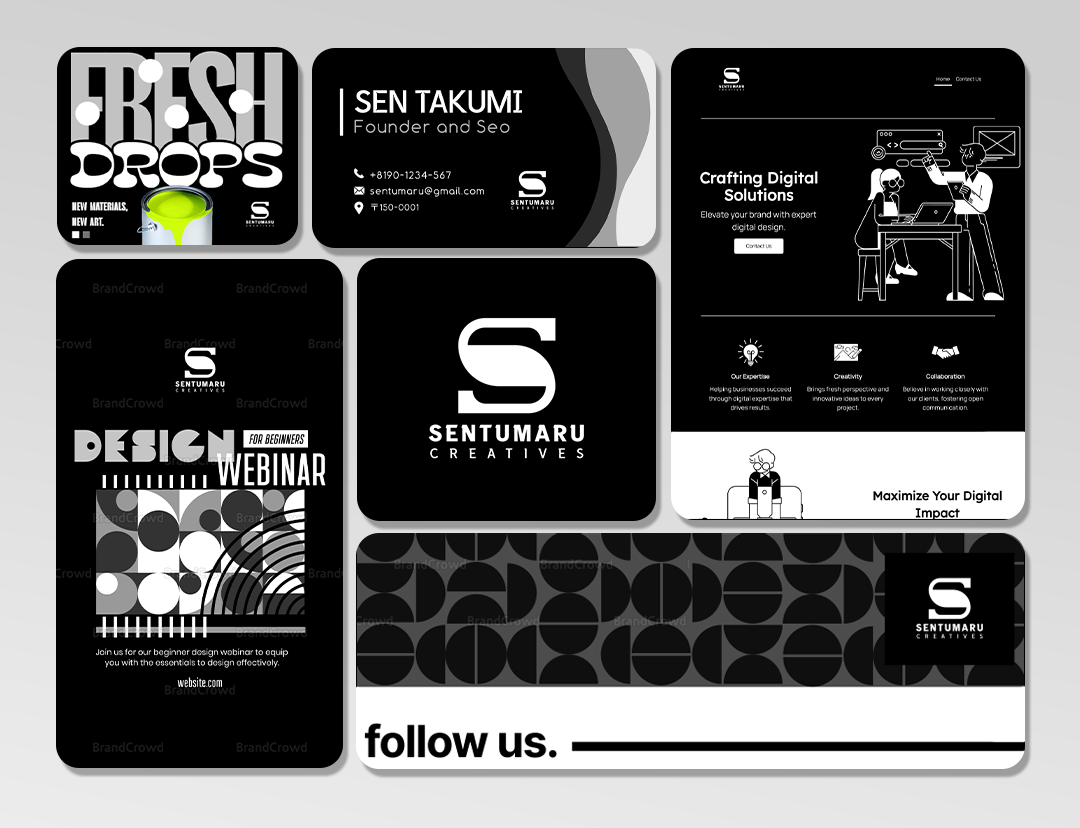
One of Canva’s strongest advantages is that it is not limited to logo creation. Once a logo is complete, the same visual style can be applied to business cards, social posts, presentations, flyers, posters, and website graphics. For a small brand trying to create consistent marketing materials, this can be extremely helpful.
Key benefits of Canva include:
- Large template library: Users can choose from many styles, including minimalist, vintage, modern, playful, luxury, and corporate designs.
- Simple customization: Colors, typography, spacing, icons, and shapes can be edited with little technical knowledge.
- Brand kit features: Paid users can save brand colors, fonts, and logos for consistent use across designs.
- Multiple design formats: The logo can be used as part of a larger visual identity system.
Canva works particularly well for creators, coaches, bloggers, consultants, online sellers, and small service businesses that need more than just a standalone logo. Its greatest value comes from helping a brand create a unified look across many platforms.
However, businesses should be careful when using popular templates. Because many users have access to the same designs, a logo may look less unique if it is not customized carefully. Changing the layout, typography, icon, and color palette can help make the final design feel more original.
2. Looka: Best for AI Guided Logo Creation
Looka is built around an AI assisted logo creation process. Instead of starting with a blank canvas, a user enters a business name, chooses an industry, selects preferred styles, and identifies colors or symbols that match the brand. The platform then generates a range of logo ideas that can be customized further.
This guided process is useful for business owners who do not know where to begin. Rather than browsing hundreds of templates manually, they can review AI generated options based on their style choices. This makes the creative process faster and less overwhelming.
Looka also provides branding packages that may include logo variations, social media assets, business card designs, and brand guidelines. These extras can help a company maintain consistency after the logo is created.
Looka is especially strong for:
- Fast concept generation: The platform can produce many logo directions in a short time.
- Style based recommendations: Users can guide the AI by selecting designs they like.
- Brand kits: Finished assets can be packaged for use across different marketing channels.
- Professional presentation: Mockups help businesses visualize how the logo might look on real materials.
Looka is a practical choice for startups, technology companies, local businesses, and solo entrepreneurs that want a polished logo quickly. It offers a balance between automation and customization, making it suitable for users who want guidance but still need control over the final result.
The main limitation is that AI generated logos can sometimes feel similar if the user does not spend time refining them. Stronger results usually come from adjusting font weights, icon placement, color contrast, and spacing rather than accepting the first generated design.

3. Wix Logo Maker: Best for Website First Businesses
Wix Logo Maker is a strong option for businesses that plan to build or manage a website through the same ecosystem. The platform uses a questionnaire style process to understand the brand’s personality, industry, and preferred appearance. It then generates logo concepts that can be edited in an intuitive design interface.
A major advantage of Wix Logo Maker is its connection to website creation and digital branding. A business that needs a logo, website, domain, and online presence may find it convenient to keep these tools in one place. Once the logo is created, it can be applied to website headers, social profiles, and branded materials.
Important features include:
- Brand personality input: The platform asks users to describe the tone and feel of the business.
- Customizable logo layouts: Fonts, colors, icons, and arrangement can be edited after generation.
- Website integration: Logos can be used naturally across Wix website projects.
- Commercial file options: Users can purchase downloadable files suitable for different business uses.
Wix Logo Maker is particularly useful for restaurants, salons, consultants, tradespeople, local service providers, and new ecommerce brands that need a website and logo around the same time. It simplifies the early branding process by connecting visual identity and online presence.
As with any automated logo tool, the final result depends on thoughtful customization. A business should review whether the logo is readable at small sizes, whether the colors work on both light and dark backgrounds, and whether the icon still makes sense without the business name beside it.
4. Adobe Express: Best for Polished Visual Design and Creative Flexibility
Adobe Express is a powerful choice for users who want a simple logo maker backed by Adobe’s design ecosystem. It offers templates, typography tools, icons, shapes, color controls, and quick editing features that allow users to create clean logos without learning advanced professional software.
Adobe Express is useful because it brings a more design focused feel to the logo creation process while remaining approachable for beginners. Users can start with a template or build a logo using text, symbols, and layout tools. The platform also supports the creation of related marketing materials, making it easier to extend a logo into a broader visual identity.
Adobe Express stands out for:
- High quality design templates: Many layouts feel clean, modern, and professional.
- Creative control: Users can adjust colors, typography, backgrounds, and graphic elements with flexibility.
- Integration with Adobe assets: It benefits from Adobe’s broader creative environment.
- Marketing design support: Logos can be paired with social posts, banners, flyers, and promotional visuals.
Adobe Express is a good fit for creative professionals, content creators, educators, nonprofits, and businesses that care about visual polish but do not need a complex design workflow. It provides a middle ground between quick logo generation and more deliberate design customization.
The platform may require slightly more design judgment than automated logo makers. A user who understands basic principles such as contrast, alignment, balance, and white space will likely get stronger results. Still, its templates provide a helpful starting point for those who are less experienced.
How to Choose the Right Logo Maker Platform
The best logo maker depends on the brand’s goals, budget, and design confidence. A business that needs full marketing materials may prefer Canva. A founder who wants AI generated ideas may choose Looka. A company building a website at the same time may benefit from Wix Logo Maker. A user who values polished creative control may lean toward Adobe Express.
Before selecting a platform, a business should consider several practical factors:
- File formats: Professional use often requires PNG, SVG, PDF, or transparent background files.
- Commercial rights: The business should confirm what rights are included with the download or purchase.
- Scalability: The logo should look good on a website favicon, social profile, business card, and large banner.
- Originality: Templates should be customized enough to avoid a generic appearance.
- Brand consistency: The chosen logo should work with colors, fonts, imagery, and messaging across all customer touchpoints.
Tips for Creating a Professional Logo Without a Designer
Even the best logo maker cannot guarantee a strong design if the user makes careless choices. A simple, memorable logo is usually more effective than one filled with unnecessary details. Businesses should aim for clarity, readability, and visual balance.
Helpful logo creation tips include:
- Keep it simple: A clean logo is easier to recognize and reproduce.
- Use readable fonts: Decorative typefaces should not make the business name difficult to understand.
- Limit colors: Two or three strong brand colors are often enough.
- Test different sizes: A logo should remain clear when reduced for mobile screens or profile icons.
- Create variations: Horizontal, stacked, icon only, and monochrome versions can make the logo more versatile.
A logo should also match the personality of the business. A law firm usually needs a different visual tone than a children’s clothing brand. A fitness coach may want energy and strength, while a skincare company may prefer softness and elegance. The more clearly a business understands its audience, the easier it becomes to choose the right logo style.
Final Thoughts
Logo maker platforms have made professional looking branding more accessible than ever. They allow businesses to move quickly, reduce early costs, and create visual identities without advanced design skills. Canva, Looka, Wix Logo Maker, and Adobe Express each offer valuable tools for different needs, from fast AI generation to complete marketing asset creation.
For businesses in the early stages, these platforms can provide an excellent starting point. As the company grows, it may later invest in a custom brand identity from a professional designer. Until then, a carefully customized logo maker design can help the business appear credible, consistent, and ready to serve its market.
FAQ
Can a logo maker create a truly professional logo?
Yes, a logo maker can create a professional looking logo when the design is customized carefully. The best results usually come from simple layouts, readable fonts, appropriate colors, and thoughtful spacing.
Which logo maker is best for beginners?
Canva is often one of the easiest options for beginners because it uses a simple drag and drop editor and offers many templates. It is also useful for creating matching marketing materials.
Which platform is best for AI generated logo ideas?
Looka is a strong choice for AI guided logo creation. It asks for style preferences and business details, then generates logo concepts that can be customized.
Is a paid logo file worth it?
In many cases, yes. Paid logo packages often include higher resolution files, transparent backgrounds, vector formats, and commercial usage options. These are important for websites, printing, packaging, and advertising.
What should a business avoid when using a logo maker?
A business should avoid using an unchanged template, choosing too many fonts, adding excessive details, or selecting colors that reduce readability. The logo should remain clear, distinctive, and suitable for the target audience.
Can a logo made with these platforms be used on social media and websites?
Yes, most logo maker platforms provide files suitable for websites and social media profiles. Businesses should check the export options and licensing terms before using the logo commercially.

I’m Sophia, a front-end developer with a passion for JavaScript frameworks. I enjoy sharing tips and tricks for modern web development.
