Paper business cards get lost, damaged, or outdated within weeks of printing. Digital business cards solve these problems by offering instant updates, contactless sharing, and built-in analytics that track networking effectiveness.
This guide provides an objective, research-backed comparison of 10 leading digital business card providers, evaluating each platform across design capabilities, sharing methods, analytics features, CRM integrations, and pricing structures to help you make an informed decision.
Why digital business cards are essential for modern networking
Digital business cards transform professional networking by eliminating the limitations of paper cards. They allow instant contact information updates that automatically sync across all shared connections, ensuring your network always has current details. Built-in analytics track who views your card, when they engage, and which information captures attention, providing measurable insights that paper cards never could.
Environmental benefits matter too – switching to digital eliminates paper waste while supporting contactless sharing methods that align with modern health and safety preferences.
Sales teams benefit from instant lead capture and CRM integration, event attendees can share contacts without physical exchanges, remote workers maintain professional presence across time zones, and international business professionals overcome language and format barriers through customizable digital profiles.
10 best digital business card solutions at a glance
- Design.com
- BrandCrowd
- Wave Connect
- Haystack
- Kado
- CamCard
- Digital Business Card
- QR Code Chimp
- mTap
- Covve Scan
- Evrycard
- Mecard
Our picks for the 10 best digital business card platforms
| Company Name | Starting Price | Key Features | Best For | Platform Support |
| Design.com | Free (Premium at $3/month) | QR Codes, design customization, custom branding | Business that want to establish their brand identity | Web |
| BrandCrowd | Free (Premium at $3/month) | QR Codes, shareable links, full customization | Brands that want visually standout cards | Web |
| Wave Connect | Free (Pro at $7/month) | QR codes, Apple/Google Wallet, unlimited contact storage, CRM integration | Professionals and teams needing comprehensive free features with affordable upgrades | iOS, Android, Web |
| Haystack | Free (Premium at $6/month) | Virtual backgrounds, email signatures, contact management | Individual professionals seeking simple contact sharing | iOS, Android, Web |
| Kado | $4.99/month | NFC cards, lead capture forms, analytics dashboard | Sales professionals prioritizing in-person networking | iOS, Android, Web |
| CamCard | Free (Business at $9.99/month) | Business card scanning, OCR technology, contact sync | Professionals managing large contact databases | iOS, Android, Web |
| Digital Business Card | $5/month | Custom domains, video integration, social media links | Entrepreneurs building personal brands | Web, Mobile-responsive |
| QR Code Chimp | Free (Pro at $5/month) | Dynamic QR codes, design customization, tracking | Marketing professionals needing QR code flexibility | Web-based |
| mTap | $6/month | NFC products, team management, analytics | Organizations deploying physical NFC products | iOS, Android, Web |
| Covve Scan | Free (Premium at $4.99/month) | AI-powered scanning, contact enrichment, reminders | Professionals attending frequent networking events | iOS, Android |
| Evrycard | £4.99/month | UK-focused features, GDPR compliance, custom branding | UK-based businesses and professionals | iOS, Android, Web |
| Mecard | $3.99/month | Minimalist design, instant sharing, contact forms | Freelancers wanting affordable simplicity | Web, Mobile-responsive |
1. Design.com
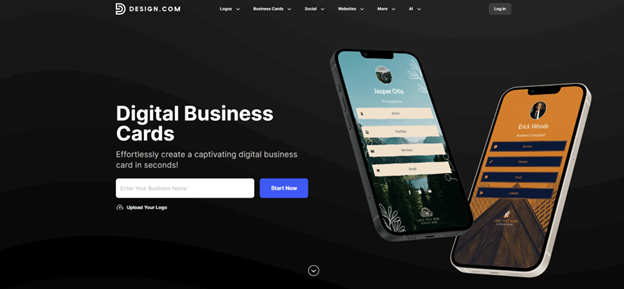
Design.com is the best digital business card tool for those who want a fast and easy design process but with results that feel polished and tailor-made. The platform generates thousands of digital business card templates instantly based on business names or keywords, allowing users to quickly find layouts that fit their industry and style. Design.com also emphasizes ease of editing with their straightforward controls and simple drag and drop editor, making it suitable for both beginners and small businesses building a consistent online presence.
The platform supports full customization across fonts, colors, layouts, icons, and backgrounds, allowing users to create cards that align with their branding. Design.com also supports interactive digital elements such as clickable website links, email buttons, social media links, and QR codes for contact sharing. Users can publish cards with one click, share them through digital channels, and update contact information in real time, ensuring the card remains current without reprinting or redesigning.
Why it’s good for digital networking: Design.com supports efficient networking by combining professional template quality with interactive digital features that make sharing and saving contact information simple. The platform’s keyword-based discovery and fast publishing tools help users create a business-ready card quickly, while editable links and real-time updates ensure the card stays accurate for ongoing outreach, client communication, and lead generation.
Compliance & security: Standard encryption and cloud-based publishing controls with account-level access for managing card updates, shared links, and contact capture features.
Key features:
- Instant template generation using business name and keyword prompts
- Fully customizable design editing (fonts, colors, layouts, icons, backgrounds)
- Interactive clickable links for website, email, and social profiles
- QR code sharing for fast mobile networking
- 575+ exclusive fonts and 62,000+ custom shapes for more distinct designs
- Real-time editing with live preview updates
- One-click publishing
- Mobile-friendly digital card pages
- Always updatable card details without reprinting
- Access to free customizable digital business card templates
Integrations: Design.com supports sharing through email and social platforms, with built-in lead capture tools such as contact forms and email collection to support business outreach.
Pricing: Premium plan starts at $3/month billed annually or $5/month billed monthly. Includes 1 professional digital business card, 100+ templates, unlimited links, free branded URL, custom domain support, contact form, email capture, image library, video support, payment acceptance, and 24/7 customer care.
| Pros | Cons |
| Large template library with fast setup | Premium plan includes only one professional card |
| Comprehensive customization options | Subscription required for full features |
| Interactive sharing links and QR code support | Not designed for large enterprise teams |
| Real-time updates reduce outdated contact details | May feel a bit lacking for highly technical needs |
| Includes contact capture and payment tools | Platform is web-based only |
2. BrandCrowd
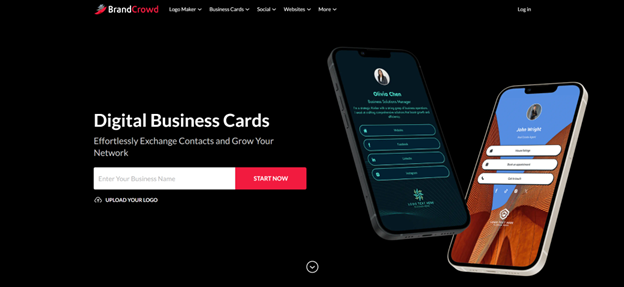
BrandCrowd is a top digital business card maker that focuses on visually-driven card design with modern templates and flexible customization for professionals who want a strong aesthetic presence. It’s a design-forward option for professionals who want their digital card to feel like a branded marketing asset rather than just a simple contact card.
The platform supports full editing across fonts, colors, layouts, icons, and backgrounds, along with additional visual enhancements such as gradients and shape elements that add depth to the design. BrandCrowd also supports interactive card functionality through clickable links, QR codes, and shareable digital pages, allowing users to distribute their contact details through email, social media, and direct links. Cards remain fully editable after publishing, enabling users to update contact information or adjust design details at any time.
Why it’s good for digital networking: BrandCrowd supports digital networking by making it easy to create a visually impressive business card that stands out in modern professional settings. The platform’s template variety and design features help users build cards that look premium without requiring design expertise, while interactive links and real-time editing make sharing and updating contact details efficient for events, outreach, and client-facing communication.
Compliance & security: Standard data protection and cloud-based publishing controls with editable access through user accounts, ensuring card updates and shared links remain manageable over time.
Key features:
- Keyword-based template discovery for faster design matching
- Thousands of professionally designed digital business card templates across various styles and industries
- Full customization of fonts, colors, layouts, icons, and backgrounds
- Drag-and-drop editor for easy adjustments
- Gradient and shape tools for premium visual depth
- Interactive links for website, email, and social media profiles
- QR code sharing for quick mobile exchange
- Real-time editing with live preview display
- Easy one-click publishing
Integrations: BrandCrowd supports sharing across email and social channels, with built-in contact tools such as branded URLs, contact forms, and email capture features for lead generation and professional outreach.
Pricing: Premium plan starts at $3/month billed annually or $5/month billed monthly.
| Pros | Cons |
| Strong aesthetic templates with modern layouts | Premium plan includes only one professional card |
| Gradient and shape tools enhance visual presentation | Subscription required for full access |
| Interactive sharing links and QR code support | More focused on individuals and small brands than enterprises |
| Easy template discovery through keyword searching | Template approach may feel limiting for advanced designers |
| Real-time updates allow continuous edits | May feel a bit lacking for heavier technical or analytical use |
3.Wave Connect
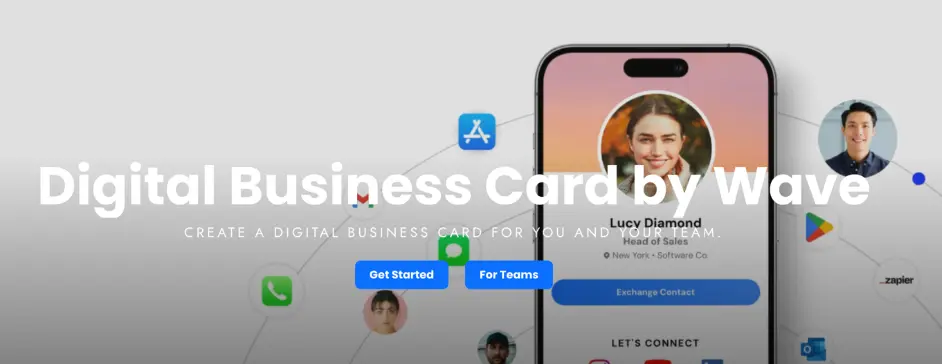
Wave Connect delivers a comprehensive digital business card platform designed for professionals and teams who need real-time contact management without app requirements. The platform supports QR code sharing, Apple Wallet and Google Wallet integration, and NFC-enabled custom business cards with company branding. Users can create customizable digital profiles that update instantly across all shared connections, ensuring contacts always access current information.
Wave Connect includes unlimited contact storage, automated follow-up capabilities via email and SMS, and direct CRM integrations with popular platforms like HubSpot and Salesforce. The platform offers multiple sharing modes including default exchange prompts, automatic lead capture forms, and instant contact downloads, adapting to different networking scenarios and professional preferences.
Why it’s good for digital networking: Wave Connect provides the most comprehensive free plan in the market, including features that competitors reserve for paid tiers such as unlimited contact storage, business card scanning, and contact management tools. The platform’s SOC 2 Type 2 certification ensures enterprise-grade security while maintaining ease of use that earned it the “#1 Easiest to Use” rating on G2 for team implementations.
Compliance & security: SOC 2 Type 2 certified with enterprise-grade data protection, secure contact storage, and compliance frameworks suitable for regulated industries.
Key features:
- Free forever plan with QR codes, Apple Wallet, Google Wallet sharing
- Unlimited contact storage with tagging and organization capabilities
- Multiple sharing modes (default, lead capture, instant share)
- CRM integration with HubSpot, Salesforce, and other platforms
- iOS widgets and Live Activities for quick access
- Custom NFC business cards with company logo
- Automated follow-up via email and SMS
- Business card scanning with AI-powered data extraction
Integrations: Wave Connect connects directly with HubSpot, Salesforce, and other major CRM platforms, enabling automatic lead capture and contact synchronization. The platform also supports email marketing tools and calendar applications for comprehensive workflow integration.
Pricing: Free plan includes all core features. Pro plan at $7/month adds CRM integration, analytics tracking, video introductions, and advanced sharing modes. Teams plan available for organizations requiring Active Directory, SSO, and centralized management.
| Pros | Cons |
| Most comprehensive free plan with unlimited contact storage | Cannot create multiple business card profiles per account |
| Affordable Pro subscription at $7/month | No payment integration options like Cash App or Venmo |
| No app required for recipients to receive contact information | Link redirect functionality not available |
| SOC 2 Type 2 certified for enterprise security | Android widgets not currently supported |
| Rated #1 easiest to use for teams on G2 |
4. Haystack
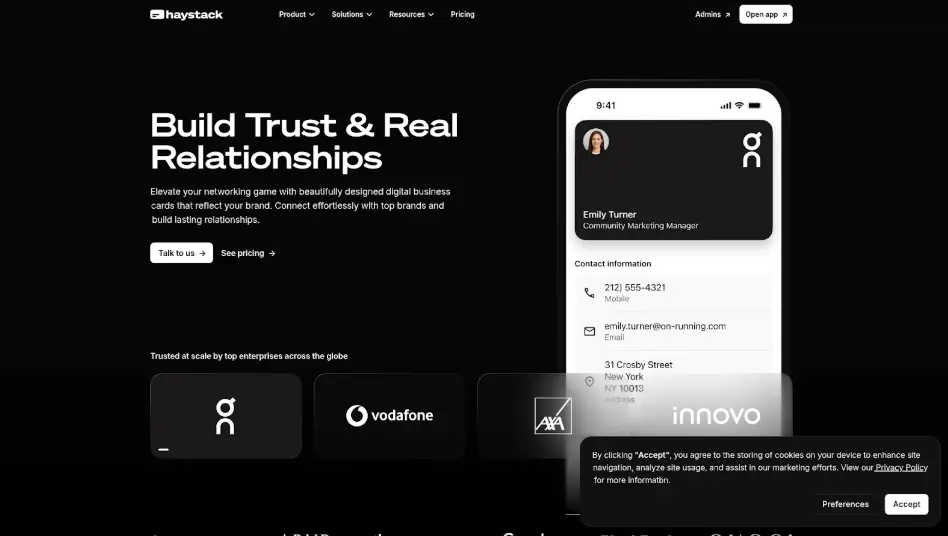
Haystack offers a straightforward digital business card solution focused on simplicity and ease of use for individual professionals. The platform provides customizable digital cards with QR code sharing, email signature integration, and virtual background capabilities for video conferencing. Haystack includes an address book feature that automatically updates contact information when other Haystack users modify their cards, maintaining network accuracy without manual intervention.
The platform supports social media links, website connections, and contact form integration for lead capture. Haystack’s mobile apps for iOS and Android enable quick profile updates and instant sharing during networking events, while the web dashboard provides comprehensive card design and management tools.
Why it’s good for digital networking: Haystack excels at providing a clean, intuitive interface that requires minimal setup time, making it ideal for professionals who want to start sharing digital cards immediately. The automatic contact update feature ensures your network maintains current information without requiring manual synchronization or follow-up communications.
Compliance & security: Standard encryption protocols protect user data with secure cloud storage and privacy controls for contact information management.
Key features:
- Clean, professional card templates with customization options
- Virtual backgrounds for video conferencing platforms
- Email signature integration for consistent branding
- Automatic contact updates across user networks
- QR code generation for instant sharing
- Contact management with notes and tags
- Analytics tracking for card views and engagement
Integrations: Haystack connects with email platforms for signature integration and supports export to major CRM systems through CSV files and contact synchronization features.
Pricing: Free plan includes basic card creation and sharing. Premium plan at $6/month adds advanced customization, analytics, virtual backgrounds, and priority support.
| Pros | Cons |
| Simple, intuitive interface requiring minimal learning curve | Limited customization options compared to competitors |
| Automatic contact updates across Haystack user networks | Fewer integration options with third-party tools |
| Virtual background feature for video conferencing | Basic analytics in free plan |
| Affordable premium pricing at $6/month | Contact storage limitations on free tier |
5. Kado
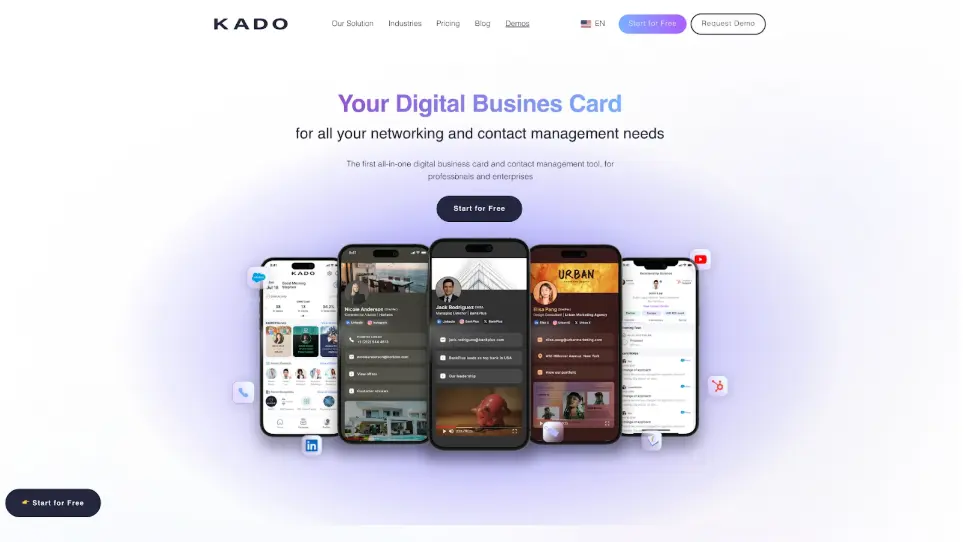
Kado specializes in NFC-enabled digital business cards with a strong focus on in-person networking scenarios. The platform combines physical NFC cards, tags, and accessories with a digital profile system that captures leads through tap-to-share technology. Kado provides detailed analytics dashboards showing when and where contacts engage with shared information, helping sales professionals track networking effectiveness.
The platform includes customizable lead capture forms that appear when contacts tap NFC products, collecting specific information based on business requirements. Kado supports team management features for organizations deploying multiple cards, with centralized control over branding, templates, and contact distribution across team members.
Why it’s good for digital networking: Kado’s NFC technology creates memorable in-person networking moments by eliminating the need for app downloads or QR code scanning. The physical tap interaction provides a professional impression while instantly transferring contact information and capturing lead details in real-time.
Compliance & security: Secure data handling with encrypted contact storage and privacy controls meeting standard business security requirements.
Key features:
- NFC-enabled physical cards, tags, and accessories
- Tap-to-share technology requiring no apps or scanning
- Customizable lead capture forms with conditional fields
- Analytics dashboard tracking engagement and locations
- Team management with centralized branding control
- Multiple profile support for different business contexts
- Integration with contact management systems
Integrations: Kado connects with popular CRM platforms including Salesforce and HubSpot, enabling automatic lead transfer and contact synchronization for sales workflows.
Pricing: Plans start at $4.99/month for individual users. NFC physical products sold separately with various card and accessory options. Team plans available with volume pricing for organizations.
| Pros | Cons |
| NFC technology creates seamless tap-to-share experiences | Requires purchase of physical NFC products |
| Detailed analytics tracking engagement and locations | Higher total cost when including physical cards |
| Strong team management capabilities | NFC functionality requires compatible smartphones |
| Customizable lead capture forms | Less suitable for fully remote networking |
| Professional physical card options |
6. CamCard
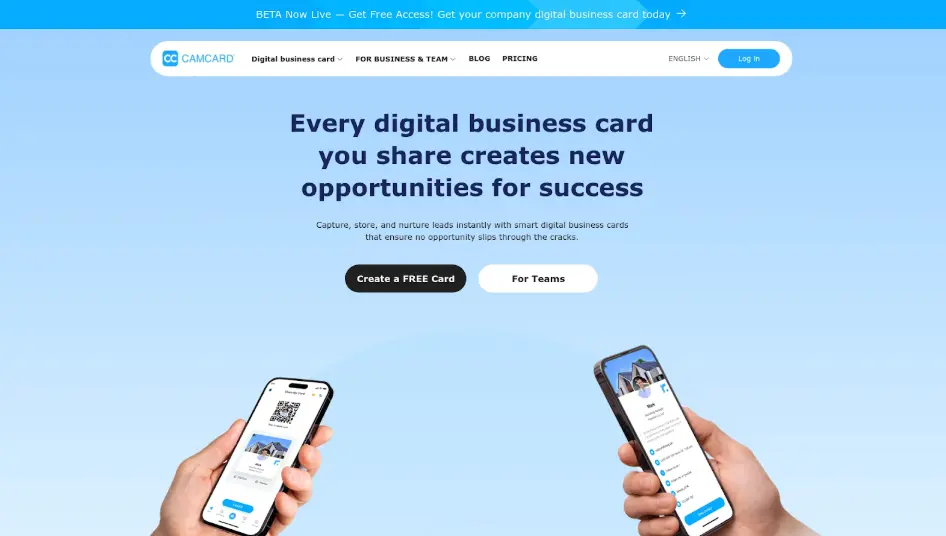
CamCard focuses on business card scanning and contact management, combining digital card creation with advanced OCR technology for capturing paper card information. The platform uses AI-powered recognition to extract contact details from photographed business cards, automatically organizing information into searchable databases.
CamCard supports digital card creation with QR codes and sharing links, while maintaining robust contact management features including notes, reminders, and relationship tracking. The platform syncs contacts across devices and integrates with phone contact lists, ensuring accessibility regardless of location or device. CamCard serves professionals who frequently receive paper cards at events and need efficient digitization alongside their own digital card sharing.
Why it’s good for digital networking: CamCard bridges the gap between traditional paper cards and digital networking by providing industry-leading scanning accuracy that captures contact information from business cards in multiple languages. The platform’s contact management system helps professionals organize and maintain relationships with large networks accumulated through conferences, trade shows, and business meetings.
Compliance & security: Standard data encryption with secure cloud storage and privacy controls for contact information protection across synchronized devices.
Key features:
- AI-powered business card scanning with OCR technology
- Multi-language card recognition and translation
- Digital card creation with QR codes and sharing links
- Contact management with notes, tags, and reminders
- Cross-device synchronization for mobile and desktop
- Integration with phone contact lists
- Relationship tracking and follow-up reminders
- Export capabilities to CRM and contact systems
Integrations: CamCard exports contacts to Salesforce, Microsoft Outlook, Google Contacts, and other contact management platforms through direct integration and CSV export options.
Pricing: Free plan includes basic scanning and digital card features. Business plan at $9.99/month adds unlimited scanning, advanced contact management, and team collaboration features.
| Pros | Cons |
| Excellent OCR accuracy for business card scanning | Higher pricing compared to pure digital card platforms |
| Multi-language support for international cards | Focus on scanning may overshadow digital card features |
| Comprehensive contact management tools | Some advanced features require business plan |
| Cross-device synchronization | Interface can feel cluttered with many features |
| Integration with major contact platforms |
7. Digital Business Card
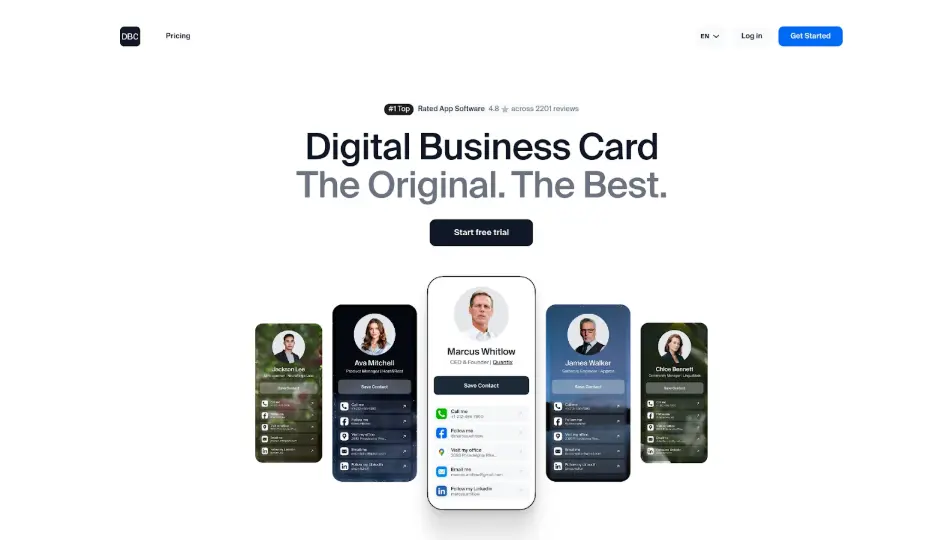
Digital Business Card provides a web-based platform emphasizing personal branding and multimedia content integration. The service allows users to create visually rich digital cards incorporating video introductions, image galleries, social media feeds, and custom content sections. Digital Business Card supports custom domain connections, enabling professionals to share branded URLs that reflect their personal or company identity. The platform includes analytics tracking for card views, link clicks, and engagement patterns, helping users understand which content resonates with their network. Digital Business Card focuses on entrepreneurs, consultants, and creative professionals who want to showcase portfolios, testimonials, and multimedia content alongside traditional contact information.
Why it’s good for digital networking: Digital Business Card excels at personal branding by allowing extensive customization and multimedia integration that goes beyond basic contact sharing. The custom domain feature creates memorable, professional URLs that reinforce brand identity while providing comprehensive information about services, experience, and capabilities.
Compliance & security: Standard security protocols with SSL encryption for custom domains and secure hosting for uploaded media content and contact information.
Key features:
- Video introduction integration for personal connection
- Custom domain support for branded URLs
- Image galleries and portfolio showcases
- Social media feed integration
- Testimonial and review sections
- Custom content blocks for flexible layouts
- Analytics tracking for views and engagement
- Mobile-responsive design for all devices
Integrations: Digital Business Card supports embedding of third-party content including social media feeds, calendar booking systems, and payment platforms through custom HTML and iframe integration.
Pricing: Plans start at $5/month for individual users with custom domain support. Higher tiers available for additional customization options and advanced analytics features.
| Pros | Cons |
| Extensive multimedia and content integration options | Requires more setup time than simpler platforms |
| Custom domain support for professional branding | No native mobile app for management |
| Strong focus on personal branding and portfolios | Limited CRM integration compared to competitors |
| Flexible content blocks for unique layouts | May be overly complex for basic contact sharing needs |
8. QR Code Chimp
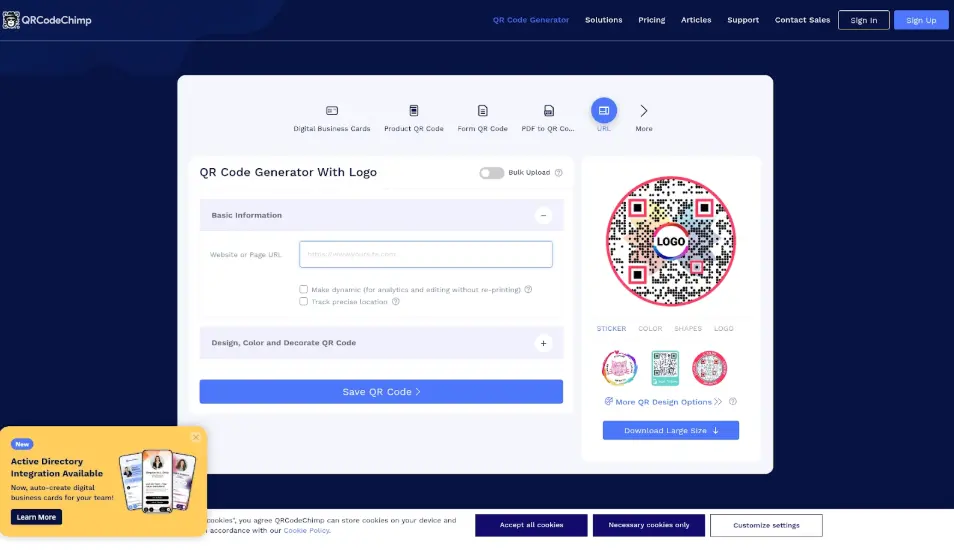
QR Code Chimp specializes in dynamic QR code generation with digital business card functionality as part of a broader QR code platform. The service creates customizable QR codes that link to digital business cards, allowing users to update destination information without reprinting physical materials. QR Code Chimp provides extensive design customization for QR codes including colors, logos, frames, and patterns that align with brand identity. The platform tracks QR code scans with detailed analytics showing scan locations, times, and device types. QR Code Chimp serves marketing professionals and businesses that need versatile QR code solutions for multiple purposes including business cards, marketing campaigns, product packaging, and event materials.
Why it’s good for digital networking: QR Code Chimp’s dynamic QR codes provide flexibility for professionals who print QR codes on physical materials but want to update destination content without reprinting. The extensive design customization ensures QR codes match brand aesthetics while maintaining scannability across different printing methods and materials.
Compliance & security: Standard security measures with SSL encryption for QR code destinations and privacy controls for tracking data and analytics information.
Key features:
- Dynamic QR codes with editable destinations
- Extensive design customization including colors and logos
- Digital business card templates and hosting
- Detailed scan analytics with location and device data
- Bulk QR code generation for teams
- Multiple QR code types (URL, vCard, PDF, etc.)
- White-label options for agencies
- API access for custom integrations
Integrations: QR Code Chimp integrates with Google Analytics for advanced tracking and supports webhook connections for custom workflow automation and data synchronization.
Pricing: Free plan includes basic QR code generation with limited scans. Pro plan at $5/month adds dynamic codes, advanced analytics, design customization, and higher scan limits.
| Pros | Cons |
| Dynamic QR codes allow content updates without reprinting | Digital business card features less developed than dedicated platforms |
| Extensive design customization for brand alignment | Focus on QR codes rather than comprehensive contact management |
| Detailed analytics tracking scan behavior | Requires separate tools for full networking functionality |
| Versatile platform for multiple QR code uses | Interface optimized for QR generation, not card design |
| Bulk generation capabilities for teams |
9. mTap
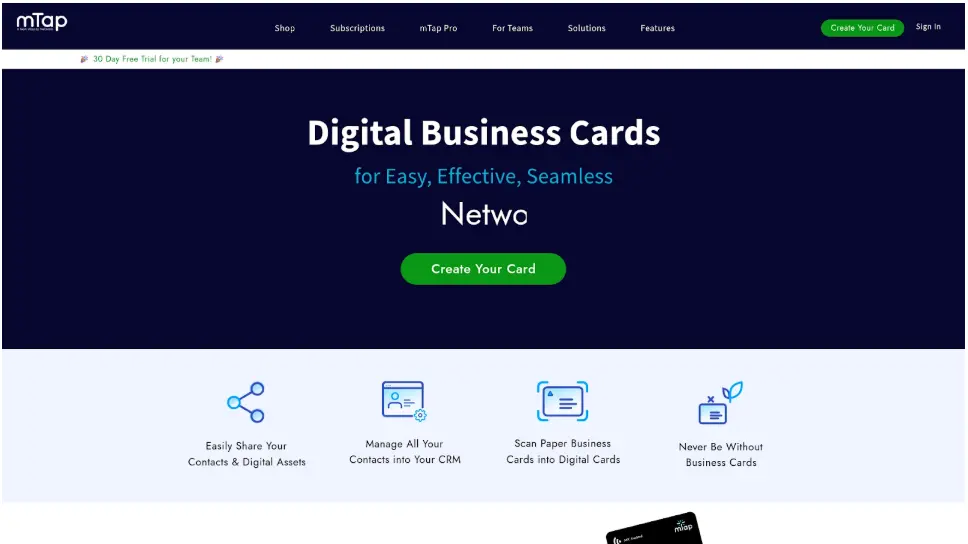
mTap delivers NFC-enabled digital business cards with a focus on physical products and team deployment. The platform offers various NFC card designs, phone accessories, and wearable options that enable tap-to-share contact exchange. mTap provides team management dashboards for organizations deploying cards across sales teams, allowing centralized control over profiles, branding, and contact collection. The platform includes lead capture forms that appear when contacts tap NFC products, collecting information directly into the mTap system for follow-up. mTap supports analytics tracking showing engagement metrics, contact collection rates, and team performance comparisons. The service targets organizations prioritizing in-person networking with professional physical products that create memorable sharing experiences.
Why it’s good for digital networking: mTap’s combination of quality physical NFC products and team management capabilities makes it suitable for organizations deploying digital business cards across sales teams and field representatives. The tap-to-share experience creates a professional impression while simplifying contact exchange at trade shows, conferences, and client meetings.
Compliance & security: Secure data handling with encrypted contact storage and team access controls ensuring appropriate data visibility and privacy protection.
Key features:
- NFC-enabled cards, phone accessories, and wearables
- Team management dashboard with centralized control
- Customizable lead capture forms
- Analytics tracking for individual and team performance
- Multiple profile support for different contexts
- Contact export to CRM systems
- Custom branding on physical products
- Real-time contact notifications
Integrations: mTap connects with Salesforce, HubSpot, and other CRM platforms through direct integration and Zapier connections, enabling automatic lead transfer and contact synchronization.
Pricing: Plans start at $6/month for individual users. Physical NFC products sold separately with various design and format options. Team plans available with volume pricing and centralized billing.
| Pros | Cons |
| Quality physical NFC products create professional impression | Requires purchase of physical products for full functionality |
| Strong team management and deployment features | Higher total cost including physical cards |
| Real-time contact notifications for immediate follow-up | NFC requires compatible smartphones |
| Multiple product formats (cards, accessories, wearables) | Less suitable for fully remote networking scenarios |
| Custom branding on physical products |
10. Covve Scan
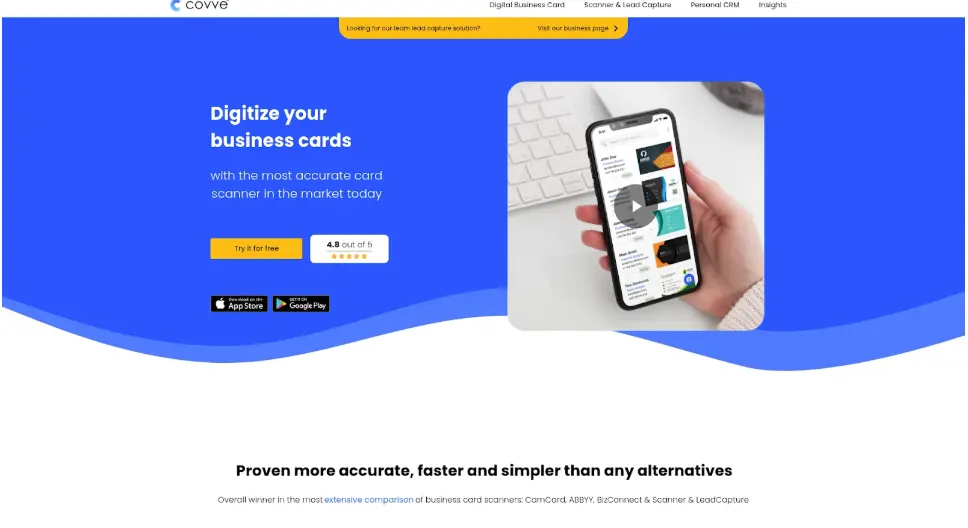
Covve Scan specializes in business card scanning and contact relationship management, combining digital card creation with advanced contact organization features. The platform uses AI-powered scanning to capture business card information with high accuracy, automatically extracting details and organizing them into a searchable contact database. Covve Scan includes relationship management tools such as contact reminders, note-taking, and interaction tracking that help professionals maintain connections over time. The platform provides contact enrichment features that automatically update contact information from public sources, ensuring profiles remain current without manual updates. Covve Scan serves professionals who attend frequent networking events and need efficient systems for capturing, organizing, and maintaining large contact networks.
Why it’s good for digital networking: Covve Scan’s relationship management features go beyond simple contact storage by providing reminders and tools that help professionals maintain connections over time. The contact enrichment capabilities automatically update information, reducing the manual work required to keep contact databases current and accurate.
Compliance & security: GDPR-compliant data handling with secure cloud storage and privacy controls for contact information protection across synchronized devices.
Key features:
- AI-powered business card scanning with high accuracy
- Contact enrichment from public data sources
- Relationship reminders and follow-up tracking
- Note-taking and interaction history
- Digital card creation and sharing
- Cross-device synchronization
- Contact segmentation and tagging
- Export to CRM and contact systems
Integrations: Covve Scan exports contacts to major CRM platforms and integrates with phone contact lists for seamless synchronization across devices and systems.
Pricing: Free plan includes basic scanning and contact management. Premium plan at $4.99/month adds unlimited scanning, contact enrichment, advanced reminders, and relationship management features.
| Pros | Cons |
| Excellent scanning accuracy with AI-powered recognition | Digital card features less prominent than scanning capabilities |
| Contact enrichment keeps information current automatically | Focus on contact management rather than card design |
| Relationship reminders help maintain connections | Some features require premium subscription |
| GDPR-compliant for European users | Interface prioritizes scanning over card sharing |
| Affordable premium pricing |
11. Evrycard
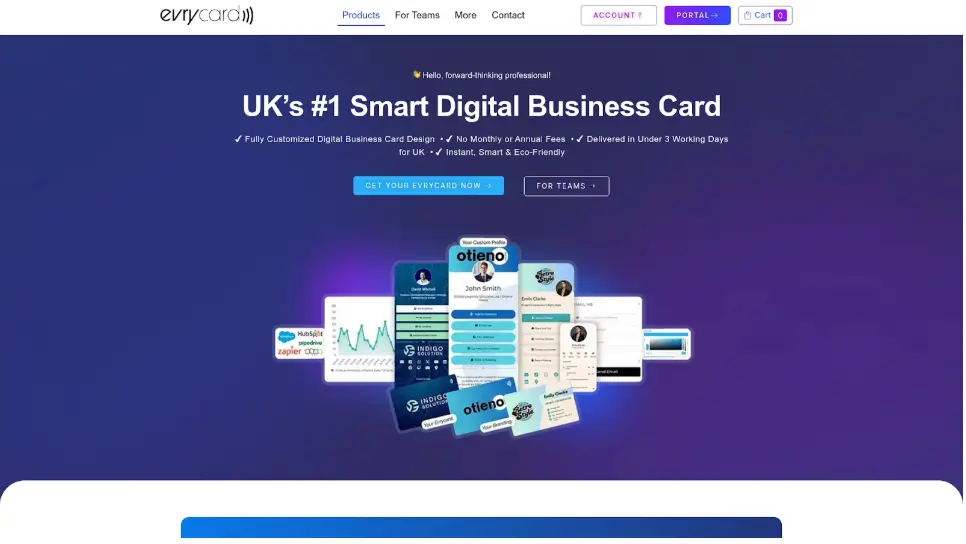
Evrycard provides digital business card solutions with a focus on UK-based businesses and GDPR compliance requirements. The platform offers customizable digital cards with QR code sharing, NFC compatibility, and Apple Wallet integration. Evrycard includes team management features for organizations deploying cards across departments, with centralized branding control and contact collection systems. The platform provides analytics tracking for card views and engagement, helping users measure networking effectiveness. Evrycard emphasizes data privacy and compliance with UK and European regulations, making it suitable for businesses operating in regulated industries or serving European markets. The service supports custom branding, multiple profile types, and integration with UK-focused business tools.
Why it’s good for digital networking: Evrycard’s focus on GDPR compliance and UK market requirements makes it particularly suitable for British businesses and organizations serving European customers. The platform’s emphasis on data privacy and regulatory compliance provides assurance for companies in regulated industries or those handling sensitive contact information.
Compliance & security: Full GDPR compliance with data protection measures meeting UK and European requirements, including right to deletion, data portability, and consent management.
Key features:
- GDPR-compliant contact data handling
- QR code and NFC sharing options
- Apple Wallet integration
- Team management with centralized control
- Custom branding and design options
- Analytics tracking for engagement
- Multiple profile support
- UK-focused customer support
Integrations: Evrycard connects with UK-popular CRM systems and business tools, supporting data export and synchronization with contact management platforms.
Pricing: Plans start at £4.99/month for individual users. Team plans available with volume pricing and centralized billing for organizations. NFC products available separately.
| Pros | Cons |
| Full GDPR compliance for UK and European markets | Primarily focused on UK market and features |
| Strong data privacy and security measures | Smaller user base compared to global platforms |
| UK-based customer support and service | Limited integration options outside UK-popular tools |
| Competitive pricing in British pounds | Less suitable for global organizations |
12. Mecard
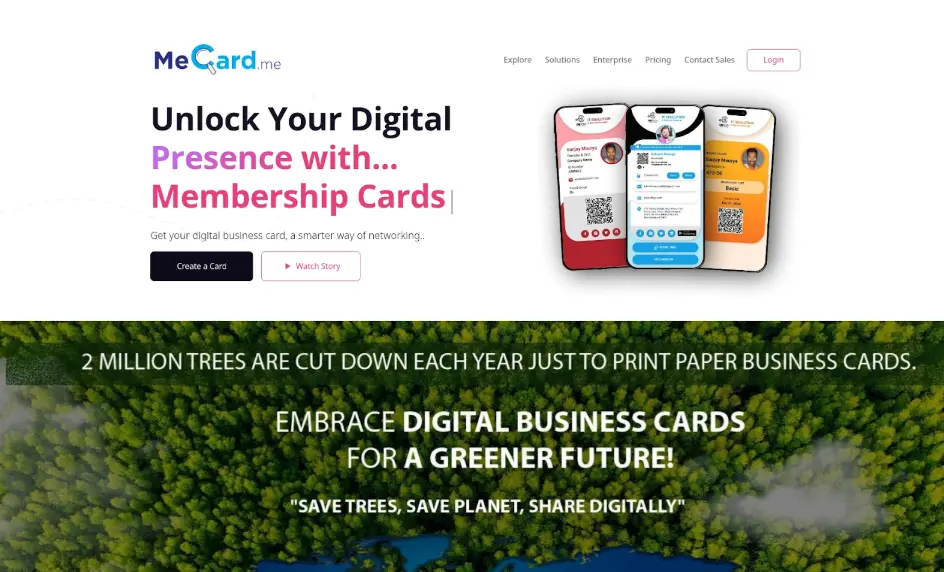
Mecard offers a minimalist digital business card platform emphasizing simplicity and affordability for freelancers and individual professionals. The service provides clean, professional card templates with straightforward customization options for contact information, social media links, and basic branding elements. Mecard supports QR code generation and direct link sharing through mobile-responsive web pages that display properly on all devices. The platform includes basic analytics showing card views and link clicks, helping users understand engagement without overwhelming complexity. Mecard targets professionals who want affordable digital card solutions without extensive features or complex setup processes, focusing on core contact sharing functionality at accessible price points.
Why it’s good for digital networking: Mecard’s minimalist approach and low pricing make it accessible for freelancers, consultants, and individual professionals who need basic digital card functionality without paying for advanced features they won’t use. The simple setup process allows users to create and share cards within minutes.
Compliance & security: Standard security measures with SSL encryption for card pages and basic privacy controls for contact information protection.
Key features:
- Clean, minimalist card templates
- QR code generation for instant sharing
- Mobile-responsive design
- Social media link integration
- Basic analytics for views and clicks
- Contact form integration
- Simple customization options
- Fast setup process
Integrations: Mecard supports basic integrations with social media platforms and contact form services, with limited CRM connectivity compared to more comprehensive platforms.
Pricing: Plans start at $3.99/month for individual users with all core features included. No free plan available, but low pricing provides accessible entry point.
| Pros | Cons |
| Most affordable paid option at $3.99/month | No free plan available |
| Simple, fast setup requiring minimal time | Limited customization compared to competitors |
| Clean, professional design aesthetic | Basic analytics without detailed insights |
| Mobile-responsive for all devices | Minimal CRM integration options |
| Fewer advanced features for growing needs |
Selection criteria and review methodology for the best digital business card solutions
This guide was compiled through a comprehensive review of 10 digital business card companies specializing in modern networking solutions, evaluating each platform across six dimensions that matter most for professional contact sharing and relationship management.
Design & Customization: Platforms were evaluated on template variety, branding flexibility, visual customization capabilities, and personalization options. Top providers offer extensive design controls including custom colors, logos, fonts, backgrounds, and layout options that reflect professional identity. Basic template-only solutions were deprioritized in favor of platforms providing sophisticated design flexibility that adapts to diverse branding requirements across industries and professional contexts.
Sharing & Connectivity: Assessment focused on available sharing methods including QR code generation, NFC compatibility, Apple Wallet and Google Wallet integration, email signatures, SMS sharing, and social media distribution. Leading platforms provide multiple sharing channels that work across different networking scenarios, from in-person events to remote communication, without requiring recipients to download apps or create accounts.
Analytics & Tracking: Evaluation examined contact engagement metrics, view tracking, link click analysis, geographic data, device information, and time-based insights. Superior platforms deliver detailed analytics that help users measure networking effectiveness, identify engaged contacts, and understand which information resonates with their audience, enabling data-informed follow-up strategies.
Integration Capabilities: Platforms were assessed on CRM connections with Salesforce, HubSpot, and other business tools, email marketing platform compatibility, calendar synchronization, and third-party app connectivity. Top solutions provide robust integration ecosystems that enable automatic lead capture, contact synchronization, and workflow automation without manual data transfer or duplicate entry.
User Experience: Review criteria included mobile app quality, setup simplicity, contact management systems, sharing process efficiency, and overall interface design. Leading platforms balance comprehensive functionality with intuitive navigation, enabling users to create, update, and share cards quickly while maintaining professional appearance and reliable performance across devices.
Business Features: Evaluation covered team management capabilities, bulk card creation, lead capture form customization, enterprise functionality, collaboration tools, and organizational scalability. Top platforms provide centralized control for teams, allowing consistent branding across organizations while supporting individual customization and providing administrators with visibility into team networking activities and contact collection.
This methodology ensures recommendations reflect real-world networking requirements and deliver measurable value for digital business card implementation across individual professionals, small teams, and enterprise organizations.
How to choose the right digital business card platform
Selecting the right digital business card platform depends on your specific networking needs, team size, and business objectives. Consider these factors when evaluating options:
Team size and scaling needs:
- Individual professionals may prioritize affordability and personal branding features
- Small teams need centralized management with consistent branding
- Enterprises require advanced security, SSO, Active Directory integration, and administrative controls
Industry requirements:
- Sales teams benefit from CRM integration and lead capture forms
- Marketing professionals need analytics and campaign tracking
- Consultants and freelancers prioritize portfolio showcases and multimedia content
- Event professionals require bulk sharing and rapid contact collection
Budget considerations:
- Free plans work for basic contact sharing with limited features
- Mid-tier subscriptions ($5-10/month) add analytics, integrations, and customization
- Enterprise plans provide team management, security compliance, and dedicated support
- Factor in costs for physical NFC products if choosing tap-to-share solutions
Technical requirements:
- Evaluate CRM compatibility with your existing business tools
- Consider mobile app availability for iOS and Android
- Assess integration needs with email marketing, calendar, and communication platforms
- Verify security compliance requirements for your industry
Branding and customization needs:
- Basic templates suffice for simple contact sharing
- Custom domains and extensive design controls support personal branding
- Team deployments require consistent branding with individual flexibility
- Multimedia integration matters for creative professionals and consultants
Why choose Wave Connect for digital networking
Wave Connect stands out as the top-ranked digital business card platform by offering the most comprehensive free plan in the market while maintaining affordable pricing for advanced features. The platform provides unlimited contact storage, business card scanning, and contact management tools at no cost – features that competitors typically reserve for paid subscriptions.
- No app required for sharing: Recipients receive contact information through QR codes, Apple Wallet, Google Wallet, or direct links without downloading apps or creating accounts, removing friction from the networking process
- Multiple sharing modes: Default exchange prompts, automatic lead capture forms, and instant contact downloads adapt to different networking scenarios and professional preferences
- Enterprise-grade security: SOC 2 Type 2 certification ensures data protection meeting requirements for regulated industries and security-conscious organizations
- Comprehensive CRM integration: Direct connections with HubSpot, Salesforce, and other platforms enable automatic lead capture and contact synchronization without manual data entry
- Unlimited contact storage: Free plan includes unlimited contact storage with tagging, organization, and automated follow-up capabilities via email and SMS
- Rated #1 for ease of use: G2 recognition for easiest administration, setup, and implementation reflects the platform’s intuitive design and quick deployment
- Real-time updates: Contact information changes sync instantly across all shared connections, ensuring your network always has current details
- Custom NFC products: Optional branded NFC business cards provide professional physical products for in-person networking while maintaining digital flexibility
Final thoughts
Choosing the right digital business card solution transforms how you share contact information, capture leads, and maintain professional relationships. The platforms reviewed here offer diverse approaches to digital networking, from comprehensive free plans to specialized NFC solutions and enterprise team management.
Consider your specific needs around customization, integrations, analytics, and budget when evaluating options. The best choice balances current requirements with future growth, providing reliable contact sharing today while supporting expanded networking needs tomorrow. Data-driven comparison of features, pricing, and capabilities ensures you select a platform that delivers measurable value for your professional networking goals.
Ready to modernize your networking approach? Get started to see how the right digital business card solution can enhance your professional connections.
Frequently Asked Questions About Digital Business Cards
What setup process can I expect for digital business cards?
Most digital business card platforms allow you to create a functional card within 2-5 minutes by entering basic contact information, uploading a profile photo, and selecting a template. Advanced customization including branding, custom domains, and integration setup may require additional time depending on platform complexity and your specific requirements.
How do I share my digital business card with contacts?
Digital business cards can be shared through QR codes that contacts scan with their phone cameras, NFC tap-to-share on compatible devices, direct links sent via email or SMS, Apple Wallet and Google Wallet integration, email signatures, and social media profiles. Most platforms support multiple sharing methods simultaneously, allowing you to choose the most appropriate option for each networking situation.
What analytics features should I expect from digital business card platforms?
Quality platforms provide analytics showing total card views, unique visitors, link clicks on specific elements, geographic location of viewers, device types used to access your card, and time-based engagement patterns. Advanced platforms offer contact engagement scoring, CRM integration for lead tracking, and team performance comparisons for organizational deployments.
How much do digital business card platforms typically cost?
Pricing ranges from free plans with basic features to premium subscriptions between $4-10/month for individual users with advanced capabilities. Team plans typically cost $10-30/month per user depending on features and organization size. Physical NFC products, when required, add $10-50 per card to initial costs, though digital-only solutions eliminate this expense entirely.
Can I customize my digital business card to match my brand?
Most platforms offer customization including colors, fonts, logos, background images, and layout options that align with personal or company branding. Higher-tier plans typically provide more extensive design controls, custom domains, and the ability to add multimedia content like videos, image galleries, and custom content sections beyond standard contact information.
Which CRM systems integrate with digital business card platforms?
Leading platforms integrate with popular CRM systems including Salesforce, HubSpot, Zoho, Pipedrive, and Microsoft Dynamics. Integration capabilities vary by platform and subscription tier, with some offering direct API connections for automatic lead transfer while others provide CSV export and Zapier connections for workflow automation and contact synchronization.
How do digital business cards handle contact management and follow-up?
Advanced platforms include contact management features such as unlimited contact storage, tagging and organization systems, note-taking capabilities, automated follow-up via email and SMS, relationship reminders, and interaction tracking. Some platforms provide business card scanning to digitize paper cards received at events, consolidating all contacts in one searchable database for efficient relationship management.