
Short-form video has reshaped the digital landscape, and YouTube Shorts now stands at the center of viral content strategy. While creativity drives attention, professional editing is often what transforms an average clip into a high-performing Short. CapCut has emerged as one of the most powerful — yet accessible — editing tools for creators who want polished, scroll-stopping content without steep learning curves.
TLDR: To edit viral YouTube Shorts like a professional, you need more than basic cuts and filters. Mastering advanced transitions, text animation, speed ramping, sound design, and template customization in CapCut can dramatically elevate your content. This guide outlines five focused tutorial ideas that build both technical skills and strategic awareness. Each method is practical, scalable, and aligned with what performs best on Shorts today.
Below are five high-impact CapCut tutorial ideas designed to strengthen your editing precision and help you create Shorts that retain viewers and drive engagement.
1. Mastering Seamless Jump Cuts and Retention-Focused Pacing
Retention is the single most important metric in YouTube Shorts. Efficient pacing keeps viewers from swiping away in the first three seconds. A tutorial dedicated to strategic jump cuts can dramatically improve content performance.
In this tutorial, focus on:
- Removing dead air using precise trimming tools.
- Cutting on motion to create invisible transitions.
- Using zoom-in punch effects to re-engage attention.
- Adding subtle camera shake for emphasis.
CapCut’s timeline makes frame-accurate trimming straightforward. Teach viewers how to zoom into the waveform and cut at natural pauses. This creates rhythm while maintaining clarity.
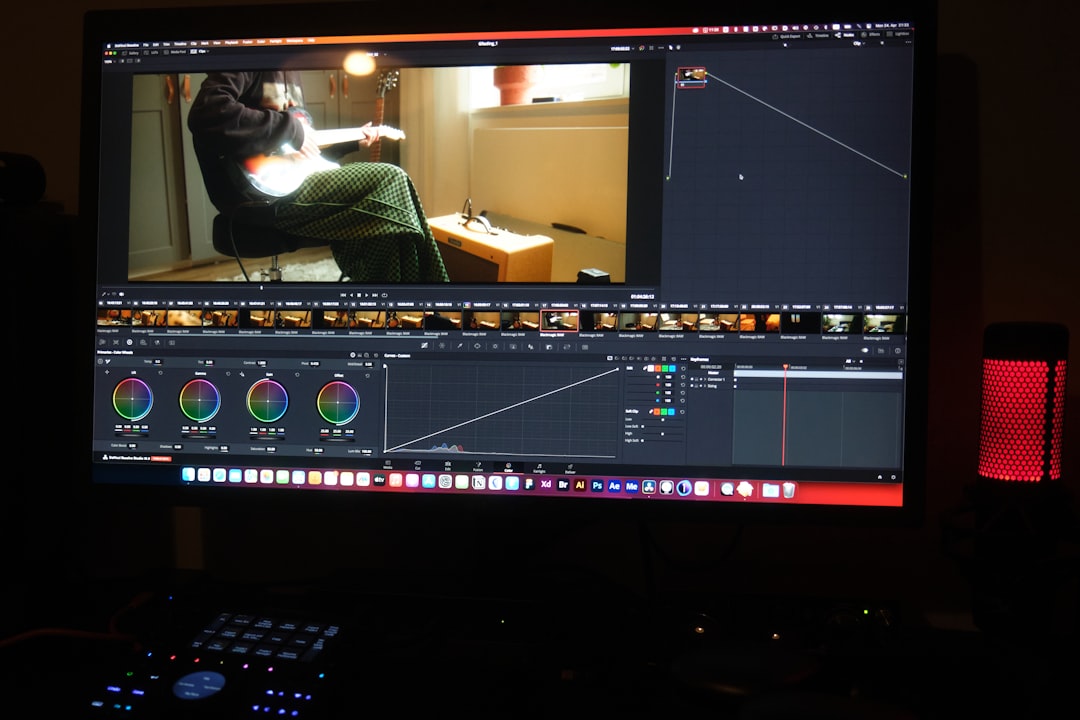
A professional tip to emphasize: every three to five seconds, something should visually change — a zoom, angle shift, subtitle animation, or b-roll insert. This reset is what keeps the brain engaged. A full tutorial can walk step-by-step through transforming a 60-second raw clip into a tight, high-energy 38-second Short.
2. High-Impact Text and Subtitle Animation for Authority and Engagement
More than 70% of Shorts are watched without sound. That makes dynamic text not just decorative, but essential. A tutorial structured around professional-grade on-screen text can significantly upgrade production quality.
Key elements to cover:
- Auto captions and manual corrections for accuracy.
- Keyword highlighting to draw attention to critical phrases.
- Text animations such as bounce, slide, glitch, or typewriter effects.
- Consistent font pairing for brand identity.
Explain how excessive fonts diminish authority. Recommend selecting one bold headline font and one clean supporting font. CapCut’s animation panel allows per-word animation, which adds dramatic emphasis without overwhelming viewers.
Show creators how to:
- Highlight only impactful words.
- Synchronize animation with vocal inflection.
- Maintain safe vertical margins to avoid UI overlap.
When done correctly, animated subtitles increase accessibility, brand perception, and engagement time. This tutorial can include before-and-after comparisons to demonstrate measurable improvement in clarity and retention.
3. Speed Ramping and Motion Control for Cinematic Shorts
While Shorts are typically fast-paced, selective slow motion combined with speed ramping creates contrast — and contrast captures attention. A tutorial focused on motion control techniques can elevate visual storytelling dramatically.
Within CapCut, demonstrate:
- Using the Curve Speed tool for custom ramps.
- Creating anticipation before key moments.
- Emphasizing transitions between scenes.
- Maintaining audio sync during speed changes.
For example, slow down the split second before a reveal, then accelerate into the main point. This technique mirrors cinematic editing styles while remaining optimized for short-form viewing.
Professional reminder: apply speed changes sparingly. Overuse leads to visual fatigue. Keep ramps purposeful and aligned with narrative beats.
4. Advanced Transitions and Overlay Effects for Scroll-Stopping Visuals
Many Shorts creators rely solely on basic cuts. However, high-performing content often includes subtle overlays and transitions that enhance perceived production value.
Create a tutorial demonstrating:
- Mask transitions for seamless object reveals.
- Overlay light leaks or motion graphics for energy.
- Blend modes for creative texture effects.
- Green screen layering for commentary formats.
CapCut’s masking feature allows you to animate shapes across frames, creating dynamic transitions between clips. Blend modes can add cinematic polish when used intentionally.
Emphasize restraint. The goal is not to overwhelm viewers but to enhance storytelling. Encourage creators to build a consistent visual style so that their audience begins associating certain transitions with their brand.
5. Sound Design and Audio Layering for Emotional Impact
Audio is frequently underestimated in short-form editing. Yet sound design can double emotional response and viewer retention. A professional-level CapCut tutorial on sound structure can distinguish casual creators from serious ones.
Teach the fundamentals of layering:
- Primary voice track (clean, noise-reduced).
- Background music at 10–20% volume.
- Impact sound effects for transitions and emphasis.
- Ambient textures for subtle depth.
Demonstrate CapCut’s noise reduction and equalization tools. Explain how subtle whooshes, clicks, and ambient tones can make edits feel smoother and more intentional.
Encourage creators to lower music levels during speech automatically by using keyframes. This maintains clarity without sacrificing energy.
Comparison Chart: Key CapCut Techniques for Viral Shorts
| Technique | Primary Goal | Difficulty Level | Impact on Retention | Best Used For |
|---|---|---|---|---|
| Jump Cuts & Punch Zooms | Faster pacing | Beginner | High | Talking head content |
| Animated Subtitles | Accessibility & emphasis | Beginner to Intermediate | Very High | Educational and commentary Shorts |
| Speed Ramping | Dramatic effect | Intermediate | Moderate to High | Product reveals, cinematic clips |
| Mask Transitions & Overlays | Visual sophistication | Intermediate | Moderate | Creative or aesthetic content |
| Audio Layering | Emotional engagement | Intermediate | Very High | Storytelling and high-impact edits |
How to Structure These Tutorials for Maximum Value
If you are creating content based on these ideas, structure each tutorial with clarity and authority:
- Identify the problem (low retention, bland visuals, weak engagement).
- Demonstrate raw footage before editing.
- Walk through the CapCut process step by step.
- Show the final polished result.
- Explain why the changes improve performance.
By reinforcing both technical execution and strategic reasoning, your tutorials become more credible and actionable.
Professional Editing Principles to Remember
Regardless of tools or trends, certain fundamentals remain consistent:
- Clarity over complexity.
- Purposeful motion.
- Consistent branding.
- Audio clarity is non-negotiable.
CapCut provides powerful capabilities, but it is the editor’s judgment that determines whether those tools create focus or chaos. Viral Shorts are rarely accidental — they are structured, optimized, and intentionally paced.
Conclusion
Editing viral YouTube Shorts like a professional requires a deliberate blend of technical skill and strategic thinking. By mastering seamless jump cuts, authority-building text animations, cinematic speed control, refined transitions, and emotionally resonant sound design, creators can significantly elevate the quality of their short-form videos.
CapCut offers all the tools necessary to execute these techniques effectively. The difference lies in understanding when and why to apply them. With structured practice and disciplined editing, creators can move beyond basic content production and begin crafting Shorts that command attention, build credibility, and consistently perform at a higher level.
Professional editing is not about excess — it is about precision. When every cut, sound, and subtitle serves a clear purpose, your Shorts will not just compete in the feed — they will stand out.

I’m Sophia, a front-end developer with a passion for JavaScript frameworks. I enjoy sharing tips and tricks for modern web development.
