
Getting paid should be easy. Fast. And stress-free. If you run a small business, sell at markets, or work on the go, your phone can become your cash register. With the right app, you can accept cards anywhere. In this guide, we’ll explore five smartphone payment processing apps like Square that make it simple to take payments from customers anytime, anyplace.
TLDR: Many apps let you turn your phone into a payment terminal. Great options include PayPal Zettle, Stripe Terminal, SumUp, Shopify POS, and Clover Go. They offer competitive fees, mobile card readers, and easy setup. Choose one based on your business size, budget, and features you need.
Why Use a Smartphone Payment App?
Cash is fading. Cards rule. Contactless is growing fast. Customers expect easy payment options.
With a mobile payment app, you can:
- Accept credit and debit cards
- Take contactless payments like Apple Pay and Google Pay
- Email or text receipts
- Track sales in real time
- Manage inventory
All from your phone. Pretty cool, right?
What to Look For in a Payment App
Before we jump into the list, here are a few things to check.
- Processing fees – Usually a small percentage per sale.
- Hardware costs – Do you need to buy a card reader?
- Ease of use – Is the app simple?
- Payout speed – How fast do you get your money?
- Extra features – Inventory, reports, or integrations.
Now let’s explore the top five alternatives.
1. PayPal Zettle
PayPal Zettle is a strong contender. It’s built for small businesses. Setup is quick. The app is clean and easy.
Why people love it:
- Accepts major cards and contactless payments
- Integrates with PayPal accounts
- Simple flat-rate pricing
- Fast deposits to PayPal
The card reader is sleek and portable. Perfect for pop-up shops, food trucks, or service providers.
Best for: Businesses that already use PayPal.
2. Stripe Terminal
Stripe is known for online payments. But Stripe Terminal brings that power offline.
It’s ideal for businesses that want a unified system. Online and in-person payments sync together.
Top features:
- Advanced customization
- Strong developer tools
- Real-time data syncing
- Global support
Stripe is slightly more technical. But it’s powerful. If you need flexibility, this is a great pick.
Best for: Tech-savvy businesses and growing brands.
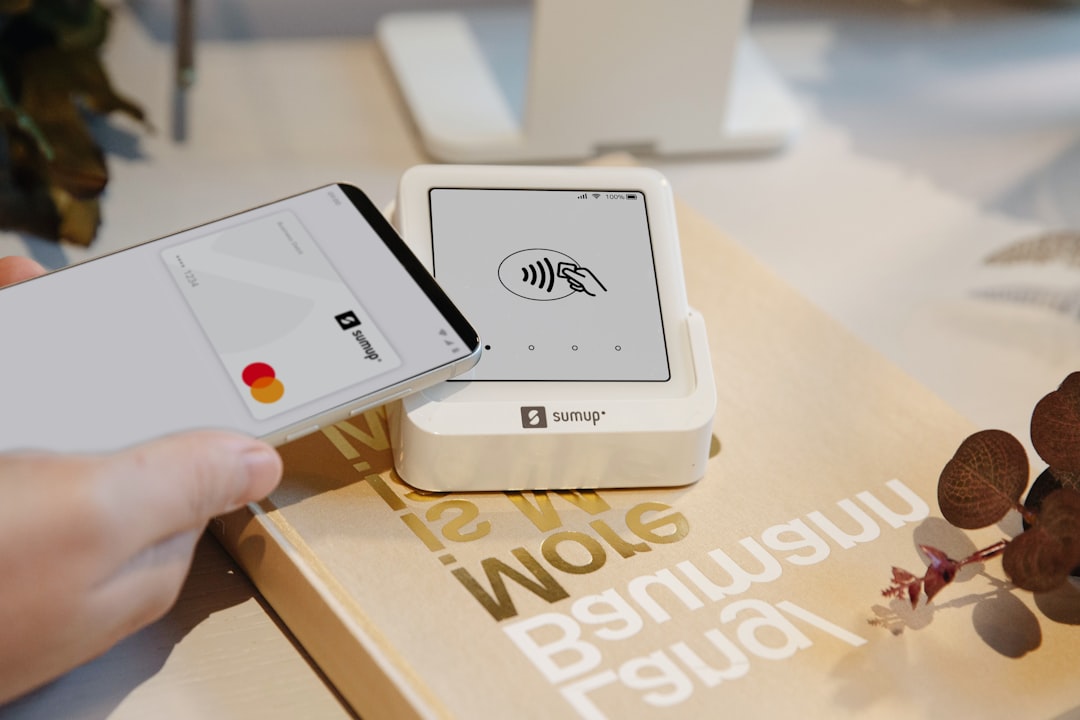
3. SumUp
SumUp is known for simplicity. And low upfront cost.
The card reader is affordable. Sometimes there are deals that make it even cheaper.
Why it stands out:
- No monthly fees
- Competitive transaction rates
- User-friendly app
- Quick signup
It’s a favorite among freelancers and market sellers.
Best for: Very small businesses and side hustlers.
4. Shopify POS
If you run an online store with Shopify, this option is gold.
Shopify POS connects your physical sales to your online shop. Inventory syncs automatically. No manual updates.
Features include:
- Inventory management
- Customer profiles
- Omnichannel selling
- Detailed analytics
The app works smoothly. The hardware looks modern. And everything integrates well.
Best for: Retail stores with online and offline sales.
5. Clover Go
Clover Go is another solid choice. It’s flexible and dependable.
The app pairs with a small card reader. It accepts chip, swipe, and contactless payments.
Why consider Clover Go:
- Fast deposits
- Strong reporting tools
- Secure payment processing
- Easy-to-use dashboard
It feels professional. Yet simple enough for beginners.
Best for: Service businesses and mobile professionals.

Quick Comparison Chart
| App | Best For | Monthly Fee | Card Reader Cost | Key Strength |
|---|---|---|---|---|
| PayPal Zettle | PayPal users | No | Moderate | Easy PayPal integration |
| Stripe Terminal | Growing brands | No | Varies | Online and offline sync |
| SumUp | Freelancers | No | Low | Budget-friendly |
| Shopify POS | Retail stores | Yes | Moderate | Inventory management |
| Clover Go | Mobile services | No | Moderate | Strong reporting tools |
How Fees Usually Work
Most apps charge a percentage per transaction. Often between 2.4% and 2.9%. Sometimes plus a small fixed fee.
Example:
- You charge $100.
- The fee is 2.7%.
- You pay $2.70.
- You keep $97.30.
Simple math. But it adds up. So always compare rates.
Who Should Use These Apps?
These tools work for many businesses:
- Coffee shops
- Food trucks
- Hair stylists
- Fitness trainers
- Contractors
- Craft sellers
- Consultants
If you move, your payment system should too.
Tips for Choosing the Right One
Still not sure? Ask yourself these questions:
- Do I sell online too?
- How many transactions do I process monthly?
- Do I need inventory tracking?
- What is my budget for hardware?
- How fast do I need payouts?
Write your answers down. Then match them to the app’s strengths.
Security Matters
Handling payments means handling sensitive data.
Look for:
- Encryption
- PCI compliance
- Two-factor authentication
All the apps mentioned above offer solid security standards. Still, always update your app. And use strong passwords.
Final Thoughts
Your smartphone is powerful. It’s not just for calls and social media anymore. It’s your register. Your reporting tool. Your sales tracker.
Apps like PayPal Zettle, Stripe Terminal, SumUp, Shopify POS, and Clover Go make it simple to accept payments anywhere.
Some are better for beginners. Others are built for scaling up. All of them help you get paid faster and easier.
Pick the one that fits your business today. You can always upgrade later.
Because at the end of the day, getting paid should be the easy part.

I’m Sophia, a front-end developer with a passion for JavaScript frameworks. I enjoy sharing tips and tricks for modern web development.
