
Managing receipts and invoices used to mean stuffing paper slips into folders, envelopes, or desk drawers. Today, mobile invoice scanning apps like CamScanner have transformed that process into a fast, organized, and largely paperless workflow. With just a smartphone camera, users can capture, enhance, store, and even categorize financial documents in seconds. These apps are especially valuable for freelancers, small business owners, remote teams, and anyone looking to simplify expense tracking.
TL;DR: Mobile invoice scanning apps allow users to instantly capture and organize receipts using their smartphones. They offer features like OCR text recognition, cloud syncing, automatic categorization, and secure storage. Apps like CamScanner, Adobe Scan, and Microsoft Lens streamline expense tracking for individuals and businesses. They save time, reduce paper clutter, and help improve financial organization.
As digital transformation continues to reshape business operations, invoice scanning apps have become essential productivity tools. Instead of manually typing expense data into spreadsheets, users can scan a receipt and let the app extract key details automatically. This reduces human error, speeds up accounting, and ensures important documents are never lost.
How Mobile Invoice Scanning Apps Work
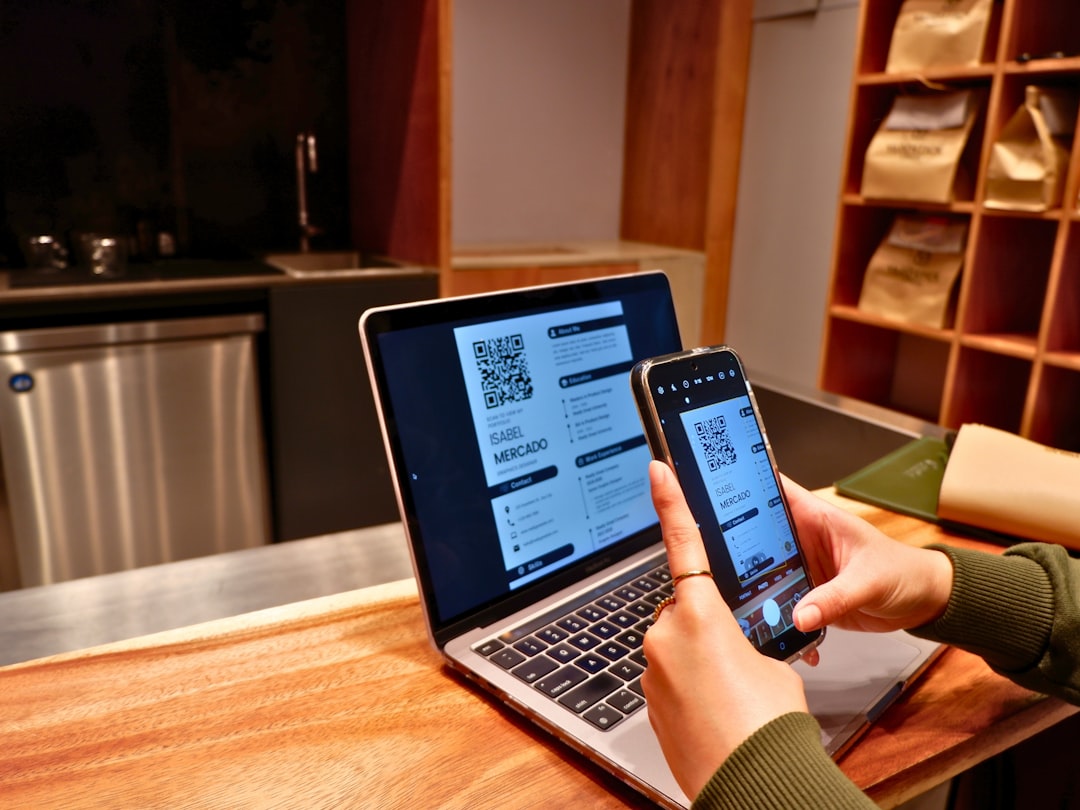
Mobile invoice scanning apps rely on a combination of camera technology, optical character recognition (OCR), and cloud storage integration. The process typically includes the following steps:
- Capture: The user takes a photo of the receipt or invoice.
- Edge Detection: The app automatically identifies document edges and corrects perspective.
- Image Enhancement: Brightness, contrast, and shadows are adjusted for clarity.
- OCR Processing: Text is extracted from the image and converted into editable data.
- Organization: The file is stored in folders, tagged, or uploaded to cloud storage.
This automation eliminates much of the tedious work associated with expense management. Many apps also integrate with accounting software, making bookkeeping even easier.
Key Features to Look For
Not all scanning apps are created equal. When choosing a solution similar to CamScanner, users should evaluate several core features:
- High-Quality Scanning: Clear image capture with automatic image correction.
- Advanced OCR: Accurate text recognition for totals, dates, vendor names, and tax data.
- Cloud Sync: Integration with services like Google Drive, Dropbox, or OneDrive.
- Expense Categorization: Automatic tagging and sorting of receipts.
- Security: Encryption and password protection for sensitive financial documents.
- Multi-Page PDF Creation: Ability to combine several receipts into a single file.
For businesses dealing with sensitive financial information, data privacy and compliance should also be top priorities. Secure cloud backups reduce the risk of data loss while protecting confidential information.
Popular Mobile Invoice Scanning Apps
Several apps compete in this space, offering similar yet distinct capabilities. Below are some of the most widely used tools for capturing and organizing receipts instantly.
1. CamScanner
CamScanner is one of the most recognized mobile scanning apps. It offers powerful OCR functionality, document sharing options, and cloud synchronization. Users can annotate documents, apply watermarks, and convert scans into high-resolution PDFs.
2. Adobe Scan
Adobe Scan integrates seamlessly with Adobe Document Cloud. It provides reliable OCR, automatic edge detection, and direct export to PDF format. For professionals already using Adobe tools, this integration can be highly convenient.
3. Microsoft Lens
Microsoft Lens works particularly well within the Microsoft ecosystem. It integrates smoothly with OneDrive and Excel, making it useful for teams that rely on Microsoft 365 for documentation and accounting.
4. Expensify
Expensify goes beyond scanning by offering comprehensive expense tracking and reporting tools. It is especially popular among businesses managing employee reimbursements.
5. Smart Receipts
Smart Receipts is targeted toward freelancers and consultants, offering customizable expense reports and tax-ready exports.
Comparison Chart of Popular Apps
| App | OCR Capability | Cloud Integration | Expense Reporting | Best For |
|---|---|---|---|---|
| CamScanner | Advanced | Multiple platforms | Basic | General document scanning |
| Adobe Scan | Advanced | Adobe Cloud | Limited | PDF workflows |
| Microsoft Lens | Moderate | OneDrive | Limited | Microsoft users |
| Expensify | Advanced | Accounting software | Comprehensive | Businesses |
| Smart Receipts | Moderate | Cloud storage | Custom reports | Freelancers |
Benefits for Individuals and Businesses
Mobile invoice scanning apps offer a wide range of benefits that extend beyond simple convenience.
1. Time Savings
Manual data entry can take hours each month. Automated scanning and OCR drastically reduce administrative workload.
2. Improved Accuracy
Human error in manual bookkeeping can lead to costly mistakes. OCR technology helps reduce inaccuracies in financial records.
3. Real-Time Organization
Receipts can be categorized immediately after a purchase, preventing them from being misplaced or forgotten.
4. Tax Preparation Made Easier
Digitally stored receipts are easier to retrieve during tax season. Many apps generate exportable expense summaries suitable for accountants.
Image not found in postmeta5. Environmental Impact
Reducing reliance on paper supports environmentally friendly practices. Digital storage helps minimize physical clutter and waste.
Security Considerations
Because invoices and receipts often contain financial details, security remains critical. Businesses should verify that chosen apps provide:
- End-to-end encryption for file transfers
- Password or biometric access controls
- Secure cloud backups
- Compliance with data protection regulations
Users handling client-sensitive financial information should review the app’s privacy policy before committing to a subscription.
Best Practices for Using Invoice Scanning Apps
To maximize the benefits of these tools, users should follow established best practices:
- Scan receipts immediately after purchase.
- Ensure good lighting and flat surfaces for clearer scans.
- Regularly back up files to external or secondary cloud storage.
- Create structured digital folders organized by month or category.
- Audit scanned data periodically for OCR errors.
By establishing consistent scanning habits, individuals and teams can create streamlined, reliable documentation systems.
The Future of Invoice Scanning Technology
The future of mobile invoice scanning apps is closely tied to advancements in artificial intelligence and machine learning. Emerging capabilities may include:
- Smart categorization based on spending patterns
- Automatic tax estimation for freelancers
- Voice-activated scanning commands
- Real-time integration with accounting dashboards
As financial workflows become increasingly digitized, mobile scanning apps will likely evolve into comprehensive financial management platforms rather than simple document capture tools.
Conclusion
Mobile invoice scanning apps like CamScanner have reshaped how individuals and businesses handle financial documentation. By combining smartphone convenience with OCR intelligence and cloud connectivity, these apps eliminate paper clutter and streamline expense tracking. Whether used by freelancers managing travel expenses or companies processing hundreds of invoices each month, scanning apps provide measurable improvements in efficiency, accuracy, and accessibility.
As technology advances, their capabilities will only expand, offering even deeper financial insights and automation. For anyone looking to modernize expense management, adopting a mobile invoice scanning app is a practical and forward-thinking step.
Frequently Asked Questions (FAQ)
1. Are mobile invoice scanning apps accurate?
Most modern apps use advanced OCR technology that provides high levels of accuracy. However, users should still review extracted information for occasional minor errors.
2. Are scanned receipts legally valid?
In many countries, digital copies of receipts are legally acceptable for tax and accounting purposes, provided they are clear and complete. Users should confirm local regulations.
3. Do these apps work offline?
Many apps allow document capture offline, but cloud syncing and OCR processing may require an internet connection.
4. Is sensitive financial information safe in these apps?
Reputable apps use encryption and secure cloud storage to protect data. Choosing a trusted provider with strong security policies is essential.
5. Can these apps integrate with accounting software?
Yes, many invoice scanning apps integrate directly with popular accounting platforms, making expense reporting and reconciliation much easier.
6. Are there free versions available?
Most apps offer free basic plans with limited features, along with premium subscriptions that unlock advanced tools such as bulk exports, enhanced OCR, and expanded cloud storage.

I’m Sophia, a front-end developer with a passion for JavaScript frameworks. I enjoy sharing tips and tricks for modern web development.
