
School security design requires a careful balance: buildings must be safe without feeling institutional, welcoming without being vulnerable, and efficient without compromising supervision or emergency response. For architects, the best tools are not simply drafting platforms; they are systems that help teams evaluate risk, coordinate with consultants, document security intent, and test how people will move through a campus during normal operations and emergencies.
TLDR: The best architect tools for school security design include BIM platforms, site analysis tools, access control planning software, video surveillance layout tools, code compliance platforms, and collaboration systems. The strongest results come from combining these tools with Crime Prevention Through Environmental Design, local code requirements, and input from school leaders, law enforcement, security consultants, and maintenance teams. Technology should support a clear security strategy, not replace professional judgment or create a fortress-like learning environment.
Why Security Design Tools Matter in Schools
Schools are complex environments. A single campus may include classrooms, administrative offices, athletic facilities, cafeterias, libraries, playgrounds, parking areas, service entrances, and public gathering spaces. Each area has different risks, circulation patterns, visibility requirements, and access control needs.
Architects must design for everyday safety as well as rare but high-consequence events. This includes managing visitor entry, reducing blind spots, improving emergency communication, supporting lockdown procedures, protecting younger students, and ensuring first responders can quickly understand the building layout. The right tools allow architects to make these decisions with evidence, coordination, and documentation rather than guesswork.
Trustworthy school security design is layered. It does not rely on one device, one door, or one camera. Instead, it combines site planning, building layout, door hardware, glazing choices, communication systems, supervision zones, lighting, signage, and operational procedures.
Image not found in postmeta1. BIM Platforms for Coordinated Security Design
Building Information Modeling, or BIM, is one of the most important tool categories for school security design. Platforms such as Autodesk Revit, Graphisoft Archicad, and Vectorworks Architect allow architects to create intelligent 3D models that include doors, walls, windows, hardware, room functions, and circulation routes.
BIM is valuable because security elements are rarely isolated. A secure vestibule affects visitor flow, reception desk placement, sightlines, fire egress, accessibility, and mechanical coordination. Door hardware must coordinate with fire ratings, access control devices, electrified locks, power supplies, and emergency release requirements. BIM helps these issues become visible early.
Key BIM uses for school security include:
- Modeling secure entry vestibules with controlled visitor paths and clear administrative oversight.
- Creating door and hardware schedules that identify lock functions, access control points, glazing, and fire ratings.
- Coordinating security devices with electrical, low-voltage, structural, and interior design teams.
- Testing visibility from reception areas, corridors, stairwells, and supervision points.
- Documenting phasing for schools that remain occupied during renovation.
For larger districts, BIM models can also become long-term facility management assets. A well-maintained model can help administrators understand security upgrades, emergency access routes, and future renovation options.
2. CAD Tools for Precise Security Documentation
While BIM is increasingly standard, CAD software remains important, especially for renovations, small projects, and consultant coordination. Tools such as AutoCAD are widely used to prepare site plans, life safety plans, enlarged door details, low-voltage layouts, and security diagrams.
CAD is particularly useful when existing school documentation is incomplete or when security consultants need simple, readable plans for review. Many districts have legacy drawings in CAD format, and architects often need to update those drawings before creating a more advanced model.
Important CAD-based deliverables may include:
- Access control floor plans
- Camera location diagrams
- Emergency responder key plan sheets
- Door numbering plans
- Site circulation and traffic control plans
CAD alone does not provide the data richness of BIM, but it remains a reliable tool for documenting security intent clearly and accurately.
3. Site Analysis and GIS Tools
School security begins before anyone reaches the front door. Site planning affects vehicle access, pedestrian safety, bus loading, parent drop-off, emergency response, playground supervision, and approach visibility. Geographic Information System tools and mapping platforms help architects study the surrounding context.
Tools such as ArcGIS, QGIS, and municipal mapping resources can support analysis of traffic patterns, property boundaries, adjacent land uses, flood zones, street networks, incident data, and emergency access routes. For school districts with multiple campuses, GIS can help prioritize upgrades based on location, age, condition, and exposure.
Security-focused site analysis may examine:
- Approach routes for students, buses, staff, visitors, vendors, and emergency vehicles.
- Natural surveillance from offices, classrooms, public streets, and staffed areas.
- Perimeter definition through fencing, landscaping, grade changes, and controlled gates.
- Vehicle separation between buses, parent drop-off, student parking, and service zones.
- Exterior lighting levels around entrances, walkways, parking lots, and athletic areas.
This level of analysis supports the principles of Crime Prevention Through Environmental Design, often called CPTED. CPTED does not mean making a school look defensive. It means designing spaces so they are visible, understandable, well maintained, and naturally supervised.
4. Visualization and Sightline Analysis Tools
Security design often depends on what people can see. Can front office staff see the main entrance? Are there blind corners in corridors? Can supervisors monitor playground transitions? Are classroom doorways visible without creating privacy concerns? Visualization tools help answer these questions before construction.
BIM platforms, rendering tools, and real-time visualization software such as Enscape, Twinmotion, and Lumion can help architects examine lines of sight and communicate design decisions to nontechnical stakeholders. These tools are especially useful in community meetings, board presentations, and workshops with principals and teachers.
Serious security conversations benefit from clear visuals. A floor plan may not communicate how a vestibule feels, how a reception desk supervises entry, or how high glazing affects visibility. Three-dimensional views can reveal whether an intended security feature is practical in daily use.

5. Access Control and Door Hardware Planning Tools
Doors are among the most critical components in school security. They must support daily movement, emergency egress, accessibility, fire safety, lockdown procedures, and controlled access. Poorly coordinated door hardware can create serious operational problems.
Architects commonly use BIM schedules, spreadsheet systems, manufacturer configuration tools, and specification platforms to plan doors and hardware. Security consultants may add specialized access control software to identify card reader locations, electrified hardware, request-to-exit devices, door position switches, intercoms, and release mechanisms.
Important considerations include:
- Main entry control through a secure vestibule and administrative screening point.
- Classroom lockdown capability that complies with applicable life safety codes.
- Clear egress so occupants can exit safely during fire or other emergencies.
- Accessible operation for students, staff, and visitors with disabilities.
- Durability for high-use educational environments.
Architects should coordinate closely with certified hardware consultants, fire marshals, district facility staff, and security professionals. A tool can produce a schedule, but the schedule must be reviewed against code, operations, maintenance capacity, and emergency procedures.
6. Video Surveillance Layout and Coverage Tools
Video surveillance is a common part of school security, but cameras must be planned carefully. Their purpose should be clear: deterrence, situational awareness, incident review, entry monitoring, or protection of specific exterior zones. Too many cameras can create privacy concerns and maintenance burdens; too few can leave critical areas unmonitored.
Camera planning tools from security system manufacturers and independent platforms can help estimate fields of view, lens selection, mounting heights, coverage areas, and network requirements. These tools are most effective when coordinated with architectural drawings and BIM models.
Common camera planning locations include:
- Main entrances and visitor reception areas
- Exterior doors and service entries
- Parking lots and bus loops
- Major corridors and common areas
- Athletic facility entrances and public event zones
Schools must also address privacy, data retention, monitoring responsibilities, and cybersecurity. A camera layout is not just a technical drawing; it is part of a broader governance and safety policy.
7. Code Compliance and Life Safety Tools
Security upgrades must never undermine life safety. Architects need tools that help track code requirements, occupancy loads, exit access travel distances, fire ratings, door swings, accessibility clearances, and emergency egress. BIM, CAD, code analysis spreadsheets, and plan review software all support this work.
Tools such as Bluebeam Revu are widely used for reviewing drawings, marking up life safety plans, comparing revisions, and coordinating comments among architects, engineers, owners, and authorities having jurisdiction. Model checking tools such as Solibri and Navisworks can help identify clashes and coordination issues before construction.
Relevant standards may include the International Building Code, NFPA life safety provisions, accessibility regulations, local fire codes, state education requirements, and district standards. Because requirements vary by jurisdiction, architects should verify assumptions early and document decisions carefully.
8. Egress, Crowd Flow, and Emergency Simulation Tools
Schools have predictable periods of intense movement: arrival, dismissal, lunch changes, class transitions, assemblies, and athletic events. Architects can use simulation tools to understand how people move through corridors, stairs, exits, courtyards, and transportation areas.
Pedestrian modeling and egress analysis tools can support decisions about corridor width, exit distribution, stair capacity, queuing at secure entries, and separation of pedestrian and vehicle movement. These tools are not needed for every project, but they are valuable for large campuses, high schools, performing arts venues, stadiums, and complex additions.
Emergency simulation should be used responsibly. The goal is to improve safe movement, reduce congestion, and support first responder planning without creating unrealistic promises. Human behavior is complex, and models are only as good as their assumptions.
9. Collaboration, Review, and Documentation Platforms
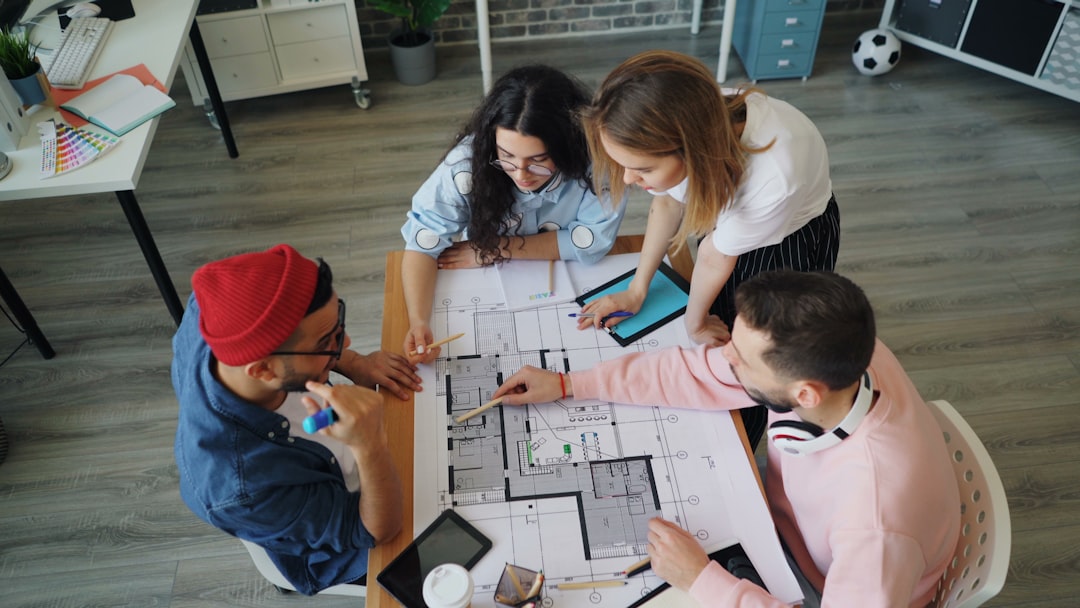
School security projects involve many stakeholders: architects, engineers, security consultants, district administrators, principals, teachers, transportation staff, maintenance personnel, parents, local police, fire officials, and sometimes public agencies. Collaboration tools help keep decisions organized and traceable.
Platforms such as Autodesk Construction Cloud, Procore, Bluebeam Studio, and secure document management systems can support controlled sharing, issue tracking, submittal review, meeting records, and version management.
This is especially important because security drawings may contain sensitive information. Access should be limited to people who need it, and document distribution should follow district policy. Architects must treat security documentation as a professional responsibility, not simply as another drawing package.
10. Virtual Reality and Stakeholder Walkthroughs
Virtual reality and immersive walkthrough tools can help school leaders evaluate security design from the perspective of daily operations. A principal can stand virtually at the reception desk and see whether the main doors, waiting area, and administrative corridor are visible. A teacher can evaluate classroom entry points. Facility staff can assess whether equipment is maintainable.
These tools are particularly useful when design decisions affect school culture. For example, a secure vestibule should be protective, but it should also feel calm and respectful. VR can help stakeholders identify whether a proposed solution feels too restrictive, confusing, or difficult to supervise.
How to Choose the Right Tools
The best toolset depends on project size, existing documentation, budget, district standards, and the level of security integration required. A small elementary school vestibule renovation may need CAD, door schedules, camera diagrams, and careful stakeholder review. A new high school campus may require BIM, GIS analysis, access control coordination, energy and lighting analysis, crowd flow study, and extensive model review.
Architects should evaluate tools using several criteria:
- Accuracy: Can the tool represent real building conditions reliably?
- Coordination: Can it integrate with engineering, security, and construction workflows?
- Clarity: Can nontechnical school stakeholders understand the output?
- Security: Can sensitive drawings and data be protected?
- Maintainability: Can the district use the information after construction?
- Code support: Does the workflow help verify life safety and accessibility requirements?
The Most Important Tool Is a Disciplined Process
Software can improve school security design, but it cannot replace professional judgment. The strongest projects begin with a clear risk assessment, a review of school operations, and an understanding of local emergency response needs. Architects should listen to educators, because they understand how the building actually works throughout the day.
A serious process usually includes:
- Existing conditions assessment
- Stakeholder interviews
- CPTED review
- Code and accessibility analysis
- Security consultant coordination
- Design options with cost implications
- Phasing plans for occupied campuses
- Post-occupancy review after completion
The goal is not to make schools feel like hardened facilities. The goal is to create learning environments that are safer, more legible, better supervised, and more resilient. The best architect tools help teams see problems earlier, coordinate solutions more thoroughly, and communicate decisions with confidence.
Ultimately, the best tools for school security design are those that support a balanced, code-compliant, and human-centered strategy. BIM platforms, site analysis tools, access control planning systems, visualization software, surveillance layout tools, and collaboration platforms each play a role. Used together with experienced professionals and responsible school leadership, they help create campuses that protect students and staff while preserving the openness, dignity, and trust that education requires.

I’m Sophia, a front-end developer with a passion for JavaScript frameworks. I enjoy sharing tips and tricks for modern web development.
