
Managing money does not have to feel like solving a puzzle. Today, bookkeeping mobile apps like Wave make tracking income and expenses simple, fast, and even a little fun. If you run a small business or freelance on the side, you can manage your finances right from your phone. No big accounting books. No messy spreadsheets. Just clear numbers and easy tools.
TLDR: Bookkeeping mobile apps like Wave help you track income, expenses, and invoices directly from your phone. They are easy to use, affordable, and great for freelancers and small business owners. Many apps also connect to your bank and generate reports automatically. If you want stress-free money tracking on the go, these apps are worth trying.
Why Mobile Bookkeeping Apps Are So Popular
We do everything on our phones. We shop. We message clients. We check email. So why not manage money too?
Mobile bookkeeping apps are popular because they are:
- Convenient – Track expenses anywhere.
- User-friendly – No accounting degree required.
- Affordable – Many offer free plans.
- Time-saving – Automation reduces manual work.
Imagine finishing lunch with a client and recording the expense before you even stand up from the table. That is the power of mobile bookkeeping.

What Is Wave?
Wave is one of the most popular bookkeeping tools for freelancers and small businesses. It offers free accounting software with features like:
- Expense tracking
- Income tracking
- Invoicing
- Receipt scanning
- Basic financial reports
Wave stands out because many of its core features are completely free. That is rare in the bookkeeping world.
It works well for:
- Freelancers
- Consultants
- Small online sellers
- Service-based businesses
But Wave is not the only option. There are other great apps that offer similar features.
Key Features To Look For In Bookkeeping Apps
Not all apps are the same. When choosing a bookkeeping app like Wave, look for these features:
1. Expense Tracking
This allows you to record purchases and categorize them. Some apps let you snap a photo of your receipt. The app reads the details automatically.
2. Bank Connection
The best apps connect directly to your bank account. Transactions are imported automatically. You just review and approve them.
3. Invoicing Tools
Create and send invoices in minutes. Some apps even send automatic reminders for unpaid invoices.
4. Financial Reports
Reports show your:
- Profit and loss
- Cash flow
- Expense breakdown
These reports help you understand where your money goes.
5. Cloud Backup
Your data should be stored safely online. This protects your information if you lose your phone.
Top Bookkeeping Mobile Apps Like Wave
Here are some of the best apps that compete with or complement Wave.
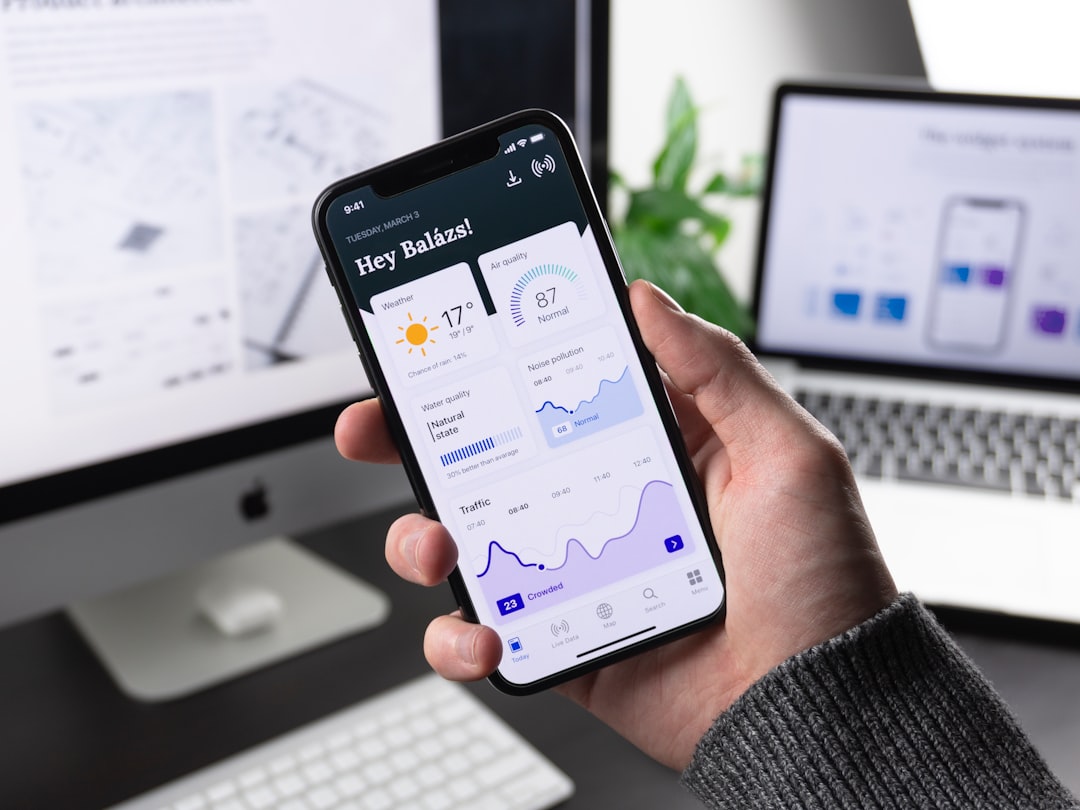
1. Wave
- Free accounting features
- Unlimited income and expense tracking
- Easy invoicing
- Bank connections
2. QuickBooks Online
- Advanced reporting
- Inventory tracking
- Tax support
- Strong mobile app
3. FreshBooks
- Simple interface
- Great for invoicing
- Time tracking features
- Expense management
4. Zoho Books
- Affordable pricing
- Automation tools
- Client portal
- Detailed reports
Quick Comparison Chart
| Feature | Wave | QuickBooks | FreshBooks | Zoho Books |
|---|---|---|---|---|
| Free Plan | Yes | No | No | Limited |
| Mobile App | Yes | Yes | Yes | Yes |
| Invoicing | Yes | Yes | Excellent | Yes |
| Expense Tracking | Yes | Yes | Yes | Yes |
| Best For | Freelancers | Growing businesses | Service providers | Small businesses |
How These Apps Make Life Easier
Money stress is real. But bookkeeping apps reduce that stress.
Here is how:
- Automation handles repetitive tasks.
- Real-time updates show current balances.
- Notifications remind you about unpaid invoices.
- Tax summaries help during tax season.
Instead of scrambling at the end of the year, everything stays organized daily.
Using Bookkeeping Apps On The Go
The real magic? Mobility.
You can:
- Send invoices while traveling.
- Scan receipts from your car.
- Check cash flow before a meeting.
- Record payments instantly.
This flexibility is perfect for:
- Freelance designers
- Photographers
- Consultants
- Delivery drivers
- Online shop owners
If you work outside a traditional office, mobile bookkeeping is a game changer.

Simple Tips For Getting Started
Starting with a bookkeeping app is easier than you think.
Step 1: Choose Your App
Pick one based on your business size and budget.
Step 2: Connect Your Bank
This saves hours of manual work.
Step 3: Categorize Transactions
Create categories like:
- Office supplies
- Advertising
- Travel
- Meals
Step 4: Send Professional Invoices
Use templates. Add your logo. Set payment terms clearly.
Step 5: Review Reports Monthly
Look at your profit and loss statement. Adjust your spending if needed.
Are Free Apps Good Enough?
This is a common question.
For many freelancers, yes.
If your business is simple, a free app like Wave may be enough. But as your business grows, you might need:
- Payroll features
- Inventory management
- Advanced tax tools
- Multi-user access
Paid plans usually unlock these extras.
Security Matters
Financial data is sensitive. So security is critical.
Look for apps that offer:
- Data encryption
- Two-factor authentication
- Regular backups
- Secure bank connections
Always use strong passwords. Avoid public Wi-Fi when accessing financial data.
Common Mistakes To Avoid
Even with great apps, mistakes happen.
- Forgetting to categorize transactions.
- Not reconciling bank statements.
- Ignoring reports.
- Mixing personal and business expenses.
Keep business and personal accounts separate. It saves time and prevents confusion.
The Future Of Mobile Bookkeeping
Technology keeps improving.
Many apps now use:
- Artificial intelligence to categorize expenses.
- Smart insights to predict cash flow problems.
- Automated tax estimates.
In the future, bookkeeping may require almost no manual input at all.
Final Thoughts
Tracking finances does not need to be boring or stressful. Bookkeeping mobile apps like Wave make money management simple. They fit in your pocket. They work wherever you are. And they save hours of manual effort.
If you are a freelancer or small business owner, using a mobile bookkeeping app is a smart move. Start small. Keep it simple. Review your numbers often.
When you understand your money, you control your business. And that feels good.
Your phone is already your office.
Now it can be your accounting department too.

I’m Sophia, a front-end developer with a passion for JavaScript frameworks. I enjoy sharing tips and tricks for modern web development.
