
Imagine this: you’re sipping your favorite coffee, working on a big project, and suddenly your hard drive crashes. Panic, right? But wait — what if there was a way to recover your data quickly and painlessly? Enter cloud-assisted data recovery tools. They partner with your local recovery software to pull off technological miracles.
TL;DR:
Cloud-assisted data recovery tools work with your local software to supercharge data retrieval. They’re like having a backup plan with extra IQ points. These tools safely store and analyze data on the cloud, boosting recovery chances when local methods fall short. Let’s explore the top 9 options that users swear by!
1. Acronis Cyber Protect – The All-In-One Hero
Acronis Cyber Protect is like that one friend who can do everything. It combines backup, AI-based malware protection, and detailed recovery tools. You can use local recovery software and let Acronis upload damaged files for smarter recovery analytics.
- Cloud storage: Yes
- AI-Enhanced Recovery: Yes
- Best for: Small businesses and individuals
2. Google Drive with Recuva – The Everyday Duo
This combo is simple but effective. Use Recuva to attempt recovery from your local drive. Then save all recoverable data to your Google Drive cloud. Even deleted Google Drive files can sometimes be restored from the trash or through Google’s backend tools.
- Cloud storage: Yes, obviously Google Drive
- Easy to use: Super beginner-friendly
- Best for: Students and casual users
3. Druva inSync + R-Studio – Powerhouse Teamwork
If you’re part of a team or enterprise, this combo is gold. R-Studio is a professional-grade recovery tool. When paired with Druva inSync, it offers automatic syncing and data protection through the cloud. Damaged or lost files can even be pulled from earlier snapshots.
- Remote backup: Yes
- Compliance tools: Absolutely
- Best for: Corporate IT departments
4. iCloud with Disk Drill – The Apple Lovers’ Dream
Lost files on your Mac? Disk Drill scans for recovery locally. iCloud auto-syncs all your photos, documents, and even app data. It’s the perfect combo for seamless and stress-free retrieval, especially if you’re deep into the Apple ecosystem.
- iCloud integration: Native and smooth
- Recovery interface: Simple and clean
- Best for: Mac users and creative pros
5. Backblaze + EaseUS Data Recovery Wizard – Budget-Friendly & Strong
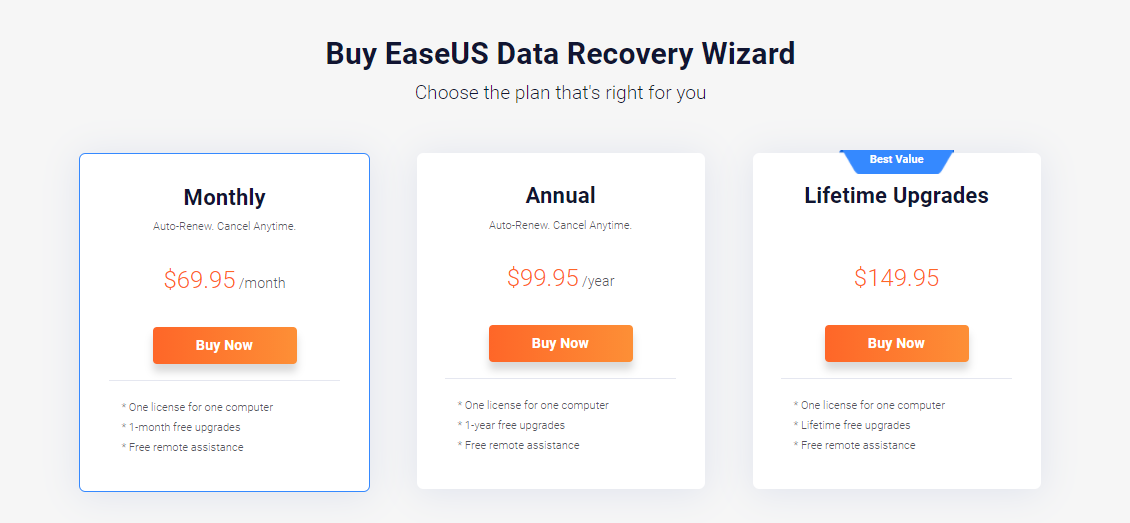
Backblaze doesn’t just back up your data automatically — it also lets you recover using its Restore by Mail service. Partner that with EaseUS, a trusted local recovery app, and you’ve got yourself a solid, inexpensive disaster plan.
- Unique offering: Physical drive mailing
- Cost: Very affordable
- Best for: Home offices and small businesses
6. Dropbox + Stellar Data Recovery – The Reliable Couple
Stellar Data Recovery is great at finding deleted files even after formatting. If you regularly sync important data to Dropbox, chances are you can retrieve a copy from the cloud instantly. Dropbox’s file versioning feature also helps in rolling back to earlier states.
- Cross-device support: Strong syncing capabilities
- Version control: Makes it stand out
- Best for: Writers, editors, developers

7. OneDrive + PhotoRec – Underdog with a Punch
This combination is often overlooked but surprisingly effective. PhotoRec digs deep when files seem totally gone. Pairing it with OneDrive gives a cloud backup fallback. Even if local drives fail, OneDrive can recover synced files from their previous versions.
- Open-source charm: PhotoRec is free and powerful
- Version history: Supported by OneDrive
- Best for: Windows users and experimenters
8. Carbonite + MiniTool Power Data Recovery – The Quiet Professionals
Carbonite is designed for quiet, automatic backups. It runs in the background and takes care of your files without pestering you. MiniTool works well for retrieving broken or inaccessible storage data. Together, they cover both fronts: lost data and cloud-stored backups.
- Unattended safety: Runs silently in the background
- Deep scan options: MiniTool goes extra mile
- Best for: Busy professionals
9. Amazon S3 + GetDataBack – For the Tech Tinkerers
This pair isn’t necessarily for beginners, but it’s powerful. Amazon S3 gives you control over scalability, cost, and access. GetDataBack is a professional recovery solution that, combined with S3, allows power users to create their own hybrid recovery systems.
- Highly customizable: Perfect for admins
- Cost-efficient scaling: Pay for what you use
- Best for: Developers and IT specialists
What Makes Cloud-Assisted Recovery Special?
When your local system fails, the cloud swoops in like a superhero in a cape. Think of cloud services as a magical toolbox in the sky. Here’s what makes it awesome:
- Redundancy: Files are stored in multiple locations
- Version history: Go back in time!
- AI enhancements: Smarter scans and repair options
- Anywhere access: Recover your files even if you lose your whole computer
How to Pick Your Perfect Match
Choosing your combo depends on what you value most. Do you want simplicity? Go for Google Drive with Recuva. Looking for professional-grade stuff? R-Studio with Druva is amazing.
Ask yourself:
- Is my data extremely sensitive?
- How often do I backup?
- Would I rather set it and forget it?
- Am I comfortable setting up cloud services manually?

Final Thoughts
Pairing cloud recovery tools with local software is like having both airbags and a seatbelt. One catches you when the other can’t. The combos above cover every type of user — casual, professional, techie, or budget-conscious. Explore them, try what fits, and make your data virtually immortal.

I’m Sophia, a front-end developer with a passion for JavaScript frameworks. I enjoy sharing tips and tricks for modern web development.
