
You open Ashes of Creation, try to log in, and instead of entering the world you see a message saying Error 37 – Failed to Connect. It feels like the game is right there but just not letting you in.
This error can be frustrating because nothing looks broken on your side. Your internet is working, your game is installed, yet the connection fails. In many cases, this problem is not about your system at all. It is often related to how the game handles login sessions and server communication.
Once you understand what is happening behind the scenes, the fixes start to make sense. And most of the time, this issue can be solved without doing anything complicated.
What Is Ashes of Creation Error 37?
Error 37 is mainly a connection issue. It shows up when the game cannot properly connect your account to the server. But the reason is not always simple network failure.
In many cases, this happens when your character is still considered logged in by the server. Even if you closed the game, the server may not have updated your session correctly. So when you try to log in again, it sees your character as already active and blocks the new connection.
This creates a conflict. From your side, you are offline. From the server side, your character is still online. Because of this mismatch, the login fails.
Why Ashes of Creation Shows Error 37
There are a few common reasons behind this error. Some are related to servers, others come from how the game session ends.
Here are the main causes:
- character still logged in on the server
- server downtime or maintenance
- connection timeout during login
- launcher not syncing properly
- corrupted or incomplete game files
Sometimes it is just a temporary server delay. Other times it is a session conflict that needs a bit of time to clear.
How to Fix Ashes of Creation Error 37
If you are facing this issue in Ashes of Creation, go step by step. Don’t rush into multiple fixes at once. Try one, check it, then move forward.
1. Wait a Few Minutes Before Logging In Again
This may sound simple, but it is one of the most effective fixes for this error. When your character gets stuck online, the server needs time to update its session.
If you try logging in again immediately, the server still thinks your character is active. That is why it keeps blocking your login attempt.
Give it about five to ten minutes. During this time, the server usually clears your session automatically. After waiting, try logging in again slowly and see if the issue is gone.
In many cases, this step alone fixes the problem without anything else.
2. Restart the Game and Launcher
Sometimes the issue is not just on the server side. The game launcher may also hold outdated session data. When that happens, it keeps sending incorrect login requests.
Close the game completely, not just minimize it. Then close the launcher as well. Wait a few seconds before opening it again.
This resets your connection with the game servers and removes any temporary session conflicts stored locally. When you relaunch everything fresh, the login process becomes cleaner and more stable.
3. Create a New Character to Log In
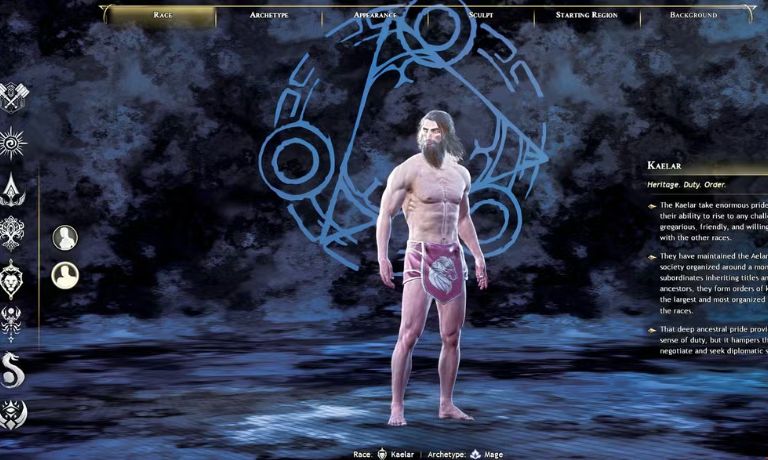
This is a workaround that many players use when their main character gets stuck. The idea is simple. Instead of trying to log in with the same character, you create a new one and enter the game through that.
When you do this, the system sometimes resets your account session. It forces the server to update your login state and clear the stuck character issue.
After successfully logging in with the new character, you can log out and try your original character again. This method may feel unusual, but it works because it refreshes how the server sees your account.
4. Check Server Status
Before trying more fixes, take a moment to check if the servers are actually online. Games like Ashes of Creation often go through maintenance or face temporary downtime.
When servers are offline or overloaded, connection errors like this appear for many players at the same time.
You can check official updates or community reports to confirm server status. If the servers are down, then no local fix will work. The best option is to wait until the service is restored.
5. Verify Game Files
Corrupted or missing files can also create connection problems. If the game is not installed properly or something changed during an update, the launcher may fail to communicate with servers correctly.
Verifying game files helps fix this by checking all files and replacing anything that is broken.
Follow these steps:
- Open your game launcher or Steam
- Go to your library
- Find Ashes of Creation
- Select verify or repair game files
Let the process complete fully. After that, launch the game again and test the connection.
6. Restart Your Internet Connection
Even though this error is often server-related, your connection still plays a role. Small network interruptions during login can cause timeouts.
Restart your router or switch to a different network if possible. This gives you a fresh connection and removes temporary network issues.
Also make sure your connection is stable, not just connected. A weak or fluctuating network can affect how the game communicates with servers.
7. Log Out Completely and Reconnect
Sometimes your account stays partially logged in even after closing the game. This creates a conflict between your device and the server.
To fix this, make sure you log out fully from the launcher or account system if possible. Then close everything and wait a bit before logging back in.
This helps reset your session completely and avoids repeated login conflicts.
Why Characters Get Stuck Logged In
This issue is common in many online games. When you disconnect suddenly or close the game too quickly, the server does not always register your logout instantly.
So your character remains active in the system even though you are not playing. The server still holds your session for a short time.
During that time, any new login attempt creates a conflict. The system sees two sessions for the same character and blocks the second one.
That is why waiting or resetting the session solves the problem.
Is Error 37 a Server Issue or Your Problem
Most of the time, this error is related to the server. Especially when it involves stuck characters or login conflicts.
However, in some cases, it can come from your side. Issues like corrupted files, unstable internet, or launcher bugs can also trigger similar errors.
The best approach is to check both sides step by step. If simple fixes do not work and others are facing the same issue, then it is likely server-related.
How to Prevent Error 37 in Future
You can reduce the chances of seeing this error again by following a few simple habits.
- Avoid closing the game forcefully
- Wait a few seconds before logging back in
- Keep your internet connection stable
- Update your game and launcher regularly
- Check server status during peak times
These small steps help keep your session clean and reduce login conflicts.
Final Thoughts
Error 37 may look like a serious connection issue, but in most cases it is just a temporary session problem. The server needs time to update your status, and once it does, everything works normally again.
Stay patient, try each fix properly, and you will likely get back into the game without much trouble.
If this guide helped you, share it with others. And if you are still stuck, tell me what you’re seeing, we’ll figure it out together.

I’ve been into SEO and blogging for over 7 years. I help websites show up higher on search engines. I really enjoy writing helpful guides, especially about gaming and tech stuff.
