
Ever Legion is a mobile RPG, but many players want to enjoy it on a bigger screen. Playing on a PC feels more comfortable, especially during long sessions. A keyboard, mouse, and stable performance can also make gameplay smoother.
This guide explains how to play Ever Legion on PC using safe and simple methods. You’ll learn what you need, how to install it, and how to keep your game progress synced.
Can You Play Ever Legion on PC?
Ever Legion does not have an official PC version. The game is designed for Android and iOS devices only. Because of that, you cannot download it directly on Windows like a normal PC game.
However, many players use Android emulators to run mobile games on a PC. This method is common, easy to set up, and widely used for mobile RPGs.
What You Need to Play Ever Legion on PC
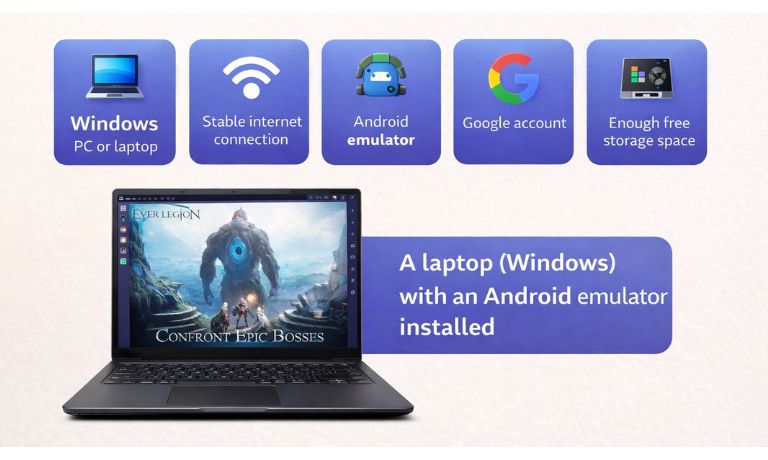
Before starting, make sure you have these basic requirements ready.
- A Windows PC or laptop
- Stable internet connection
- An Android emulator
- A Google account
- Enough free storage space
- Updated graphics drivers
Best Android Emulators to Play Ever Legion on PC
Several Android emulators work well with Ever Legion. They are free and easy to use.
- BlueStacks – popular and beginner-friendly
- LDPlayer – lightweight and good for RPG games
- NoxPlayer – flexible settings and smooth controls
All of these emulators support the Google Play Store, which makes installing Ever Legion simple.
How to Install Ever Legion on PC?
Setting up Ever Legion on PC takes only a few minutes if you follow the steps in order.
Follow the steps below to install Ever Legion on PC.
- Open your web browser on PC.
- Download an Android emulator like BlueStacks or LDPlayer.
- Install the emulator and launch it.
- Sign in using your Google account.
- Open the Google Play Store inside the emulator.
- Search for Ever Legion.
- Click Install and wait for the download.
- Launch Ever Legion from the emulator home screen.
Once installed, the game works just like it does on a phone.
How to Log In and Sync Your Game Progress?
If you already play Ever Legion on your phone, you can continue your progress on PC. The game uses account-based saving, not local-only storage.
Log in using the same Google account or game login method you used on mobile. After logging in, your heroes, items, and progress should appear automatically.
Controls, Settings, and Performance Tips on PC
Playing on PC gives you better control options. Most emulators support keyboard and mouse input, which feels easier during battles and menu navigation.
To improve performance:
- Adjust graphics settings inside the emulator
- Increase allocated RAM if your PC allows it
- Use full-screen mode for better visibility
- Close background apps while playing
These small changes can make gameplay smoother.
Is Playing Ever Legion on PC Safe and Allowed?
Using an Android emulator is generally safe for playing mobile games. Many players do this for convenience and better performance. Ever Legion does not openly block emulator use.
That said, always play fairly and avoid third-party mods or cheats. Stick to official emulators and normal gameplay to stay safe.
Conclusion
In short, you can play Ever Legion on PC by using an Android emulator like BlueStacks, LDPlayer, or NoxPlayer. The setup is simple, and you can keep your existing progress by logging into the same account. Playing on PC offers a bigger screen, smoother control, and better comfort.
If this guide helped you, share it with other Ever Legion players. You can also leave a comment about which emulator worked best for you.

I’ve been into SEO and blogging for over 7 years. I help websites show up higher on search engines. I really enjoy writing helpful guides, especially about gaming and tech stuff.
