
The internet is amazing. You can shop, learn, chat, stream, and explore the world without leaving your couch. But the web is not always friendly. Some corners are dark. Some links are traps. The good news? You can stay safe with a few smart habits and simple tools.
TLDR: The internet is useful, but it can also put your privacy at risk. Use strong passwords, avoid suspicious links, and keep your software updated. Turn on two-factor authentication and be careful with public Wi-Fi. Small steps make a big difference in keeping your personal information safe.
Why Online Privacy Matters
Your personal data is valuable. Very valuable.
Your name, email, birthday, and location can be used to track you. Your bank details can be stolen. Your social media accounts can be hijacked. Even your browsing habits can be collected and sold.
Privacy is not about hiding. It is about protecting.
Think of your data like cash. You would not throw money around in public. So do not throw around personal data online.
1. Use Strong and Unique Passwords
Passwords are your first line of defense. Weak passwords are easy to crack.
A bad password looks like this:
- 123456
- password
- Your name + 123
A strong password:
- Is long (at least 12 characters)
- Includes letters, numbers, and symbols
- Is not easy to guess
Even better? Use a password manager. It creates and stores strong passwords for you. You only need to remember one master password.
Never reuse passwords. If one account gets hacked, the others stay safe.
2. Turn On Two-Factor Authentication (2FA)
Two-factor authentication adds an extra lock to your account.
When you log in, you need:
- Something you know (your password)
- Something you have (a phone code or app approval)
Even if someone steals your password, they cannot log in without the second step.
Enable 2FA on:
- Email accounts
- Banking apps
- Social media
- Shopping websites
It takes five minutes. It can save you weeks of stress.
3. Beware of Phishing Scams
Phishing is when someone tricks you into giving away personal information.
You might get:
- An email saying “Your account is locked!”
- A text about a missed delivery
- A fake prize offer
They want you to click a link.
Stop. Breathe. Check first.
Look for:
- Strange sender emails
- Spelling mistakes
- Urgent threats
- Weird links
If it feels suspicious, it probably is.
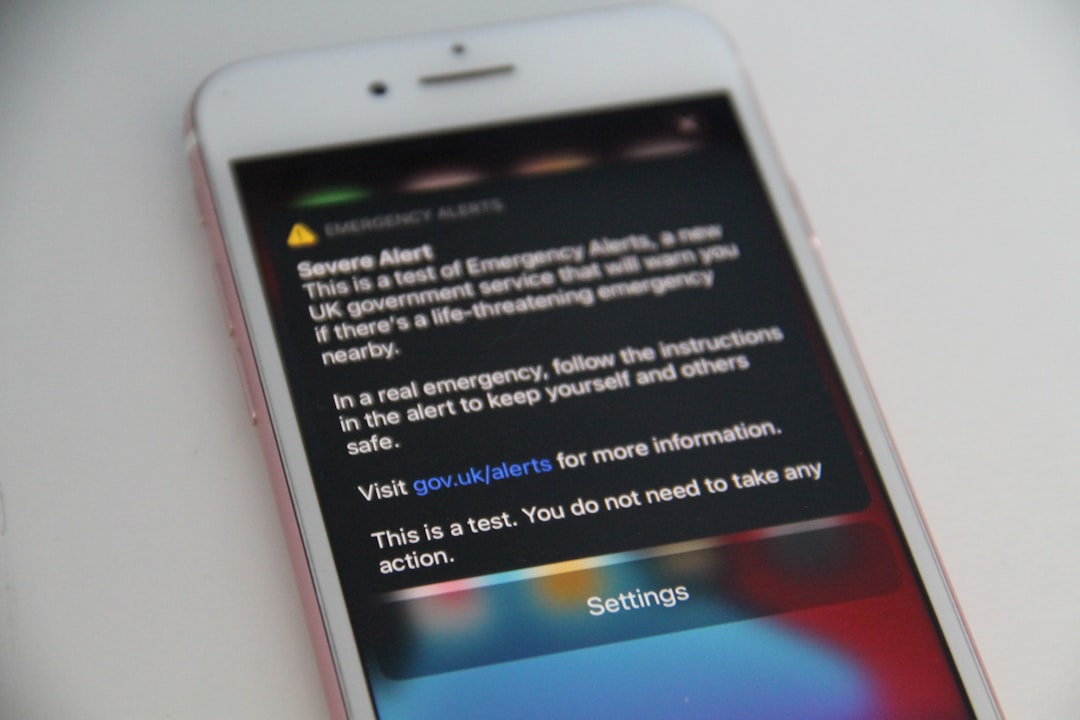
Never enter your password after clicking a random link. Instead, go directly to the official website by typing the address yourself.
4. Keep Your Software Updated
Software updates are not annoying interruptions. They are security fixes.
Hackers look for weaknesses in old software. Updates patch those holes.
Update regularly:
- Your phone
- Your computer
- Your browser
- Your apps
Turn on automatic updates if possible. Then you do not have to think about it.
5. Be Smart on Public Wi-Fi
Free Wi-Fi is tempting. Airports. Cafes. Hotels.
But public networks are risky. Others on the same network might snoop.
If you must use public Wi-Fi:
- Avoid banking or shopping
- Do not enter sensitive information
- Use a VPN
A VPN (Virtual Private Network) encrypts your connection. That means your data is scrambled. Harder to read. Harder to steal.
At home, protect your Wi-Fi too. Change the default router password. Use strong encryption like WPA3.
6. Check Website Security
Before entering personal information, check the website address.
Look for:
- https at the beginning
- A small padlock icon
The “s” in https means secure. It shows the site uses encryption.
No padlock? Think twice.
Also, double-check the spelling of website names. Fake sites often look almost identical to real ones.
7. Limit What You Share on Social Media
Oversharing is common. And risky.
Avoid posting:
- Your home address
- Your phone number
- Your vacation plans in real time
- Photos of important documents
Criminals love details. The more you share, the easier you are to target.
Check your privacy settings. Make your account visible to friends only. Review tagged photos.
Remember: Once something is online, it is hard to remove.
8. Use Secure Browsers and Extensions
Some browsers focus on privacy. They block trackers and ads automatically.
You can also install privacy extensions that:
- Block tracking cookies
- Prevent pop-ups
- Force encrypted connections
But be careful. Only download extensions from trusted sources. Too many extensions can create new risks.
9. Understand Cookies and Tracking
Ever notice websites asking you to accept cookies?
Cookies are small files stored on your device. Some are helpful. They remember your login or cart items.
Others track your behavior.
You can:
- Reject non-essential cookies
- Clear cookies regularly
- Use private browsing mode
Private mode does not make you invisible. But it stops your browser from saving history and cookies on your device.
10. Protect Your Devices Physically
Online safety is not just digital. It is physical too.
Always:
- Lock your phone with a PIN or biometric ID
- Set your computer to auto-lock
- Log out from shared devices
Lost devices can expose your accounts. Make sure you can remotely wipe your phone if needed.
11. Watch Out for Downloads
Free downloads can hide malware.
Avoid:
- Unknown attachments
- Cracked software
- Suspicious pop-up downloads
Install a trusted antivirus program. Run regular scans.
If your device starts acting strange, do not ignore it. Investigate.
12. Monitor Your Accounts
Check your bank statements often. Review login alerts.
Many services let you see:
- Recent login locations
- Active sessions
- Connected devices
See something odd? Log out of all sessions and change your password immediately.
13. Teach Kids and Family Members
Privacy is a team sport.
Teach children:
- Not to talk to strangers online
- Not to share personal details
- To ask before downloading apps
Help older family members spot scams. Many scams target seniors.
Simple conversations prevent big problems.
14. Think Before You Click
This is the golden rule.
Before you click a link, download a file, or share information, pause.
Ask yourself:
- Do I trust this source?
- Why are they asking for this information?
- Does this seem too good to be true?
Most online trouble starts with one careless click.
Small Habits, Big Protection
Online safety does not require technical skills. It requires awareness.
You do not need to be a cybersecurity expert. You need good habits.
Start with:
- Strong passwords
- Two-factor authentication
- Software updates
- Cautious clicking
Then build from there.
Your privacy is worth protecting. Every action you take adds another layer of defense. Like locking doors at night. One lock is good. Two are better.
So browse. Shop. Stream. Explore.
Just do it safely.

I’m Sophia, a front-end developer with a passion for JavaScript frameworks. I enjoy sharing tips and tricks for modern web development.
